ManyChat Instagram Automation: Setup Guide, Pricing & a Simpler Alternative
ManyChat Instagram automation in 8 steps: connect your account, allow message access, set the comment trigger and DM, test it, fix errors and see the cost.
 Aanchal
ManyChat is the best-known name in Instagram DM automation. Most people use it for one job: someone comments a keyword on a Reel, and ManyChat sends them a DM with a link. This guide walks through that setup step by step, from connecting your account to testing the first automation. It also covers what ManyChat costs once your posts start getting comments, and when a simpler tool does the same job for less.
Short answer: to set up ManyChat Instagram automation, connect a professional Instagram account in ManyChat's Settings, turn on Allow access to messages in the Instagram app, create an automation with the User comments on your Post or Reel trigger, add your keywords, write the DM, and test it from a second account. The free plan covers 25 active contacts a month. Paid plans start at $17 a month (about ₹1,650) and go up with your audience.
A note before you read: we make HeyDM, an Instagram DM automation tool. The ManyChat steps below follow ManyChat's own help centre, and we say where ManyChat is the better choice.
What ManyChat Instagram Automation Can Do
ManyChat connects to Instagram through Meta's official API, so it can only message people who contacted you first: by commenting, sending a DM or replying to a Story. Within that rule, the common Instagram automations are:
- Comment to DM. Someone comments a keyword such as "LINK" on a post or Reel, and gets a private DM with your link, product or freebie.
- Public comment replies. ManyChat can reply under the comment as well, so other viewers see that the DM was sent.
- DM keyword replies. Someone types a keyword in your DMs and gets an automatic answer.
- Story replies. An automatic DM when someone replies to your Story.
- Flows. Multi-step conversations with buttons, conditions, tags and data collection, such as asking for an email address.
If you're new to the idea, our beginner's guide to Instagram DM automation explains how comment-to-DM works with any tool.
Before You Start: What You Need
- A professional Instagram account. Creator or Business both work up to 500,000 followers. Above that, ManyChat asks for a Business account.
- A Facebook Page, depending on how you connect. ManyChat offers a "Via Meta" connection (its recommended option, with the full feature set), and that route needs your Instagram account linked to a Facebook Page you manage. There is also a quicker "Connect via Instagram" option, but ManyChat says some advanced features may be limited with it.
- Message access turned on in Instagram, covered in step 2 below. This is the step people most often miss.
- A second Instagram account for testing. Comments from your own account won't show you what a follower sees.
Send your links by DM, automatically
HeyDM replies to every comment with your link, on Meta’s official API.
14-day free trial, then $9.99/month or $99/year. Cancel anytime.
How to Set Up ManyChat Instagram Automation, Step by Step
Step 1: Create a ManyChat account and connect Instagram
Sign up at ManyChat, open Settings, choose Instagram and click Connect. Pick the connection method, log in, and approve the permissions Meta asks for. If you connect "Via Meta", select the Facebook Page your Instagram account is linked to.
Step 2: Allow access to messages in the Instagram app
On your phone, open Instagram and go to Settings → Messages and story replies → Message controls → Connected tools, then turn on Allow access to messages. Without this, ManyChat can show your account as connected and still never send a DM.
Step 3: Create a new automation
In ManyChat, go to Automation and create a new one. You can start from a template, but building from a blank automation makes it easier to see each part. Add a trigger from the Instagram tab and choose User comments on your Post or Reel.
Step 4: Choose the post and the keywords
Pick which posts the trigger watches:
- A specific post or Reel, for a single offer.
- Any post or Reel, for one keyword across your whole account.
- Next post or Reel, so the automation is ready before you publish. Only comments on the next thing you post will trigger it.
Then set the keyword rule. You can trigger on comments that include certain words, exclude comments with certain words, or reply to every comment. A short, unusual word such as "GUIDE" or "PRICE" works better than a common one like "yes", which people type for other reasons.
Step 5: Add a public reply (optional)
Turn on public replies to answer under the comment, for example "Sent! Check your DMs". Add several versions: ManyChat rotates them at random so your comment section doesn't fill up with the same line.
Step 6: Write the DM and send it as a Private Reply
Write the message the person gets in their inbox, and make sure it is set to Send as a Private Reply. ManyChat's help centre says the automation can't continue without this. Instagram allows one private reply to a comment, so most creators keep this first message short and add a button such as "Send me the link". When the person taps it, they've started a real conversation, and the next message with your link, discount code or a question asking for their email can follow.
Meta's rules also set the timing. A private reply has to go out within 7 days of the comment, and normal messages can be sent for 24 hours after the person last messaged you or tapped a button. Plan any follow-up inside that window.
Step 7: Add conditions if you need them
The flow builder lets you branch the conversation. A common example is checking whether the person follows you before sending the link, and asking them to follow first if they don't. Collecting an email or phone number into a custom field works the same way. Keep the first version simple, then add steps once the basic flow works.
Step 8: Turn it on and test from a second account
Set the automation live, then comment your keyword from a different Instagram account. Test with an account that hasn't commented on that post before. If nothing arrives within a minute or two, use the checklist below.
Need wording for the DM itself? Our 50+ Instagram auto-DM templates cover links, freebies, discounts and lead capture.
When ManyChat Instagram Automation Isn't Working
- Message access is off. Re-check step 2. It sometimes switches off after an app update or a password change.
- Permissions need refreshing. ManyChat has a Refresh permissions option under its Help button. Reconnecting the account also helps if you recently changed your Facebook Page or Instagram account type.
- It's a collab post. For collaboration posts, the account that originally published the post must be the one connected to ManyChat.
- The keyword doesn't match. Check spelling, extra words and the exclude list. Test with the keyword on its own first.
- The automation isn't live, or it watches the wrong post. Drafts and paused automations don't fire, and a "next post" trigger only covers the first post you publish after setting it.
- The comment is too old. Comments older than Meta's 7-day private-reply window can't get a private reply.
- You're on the free plan and hit its limits. The free plan allows up to 4 live triggers and 25 active contacts a month.
These causes apply to most tools, not only ManyChat. Our guide to Instagram comment automation not working has the full fix list.
What ManyChat Costs for Instagram
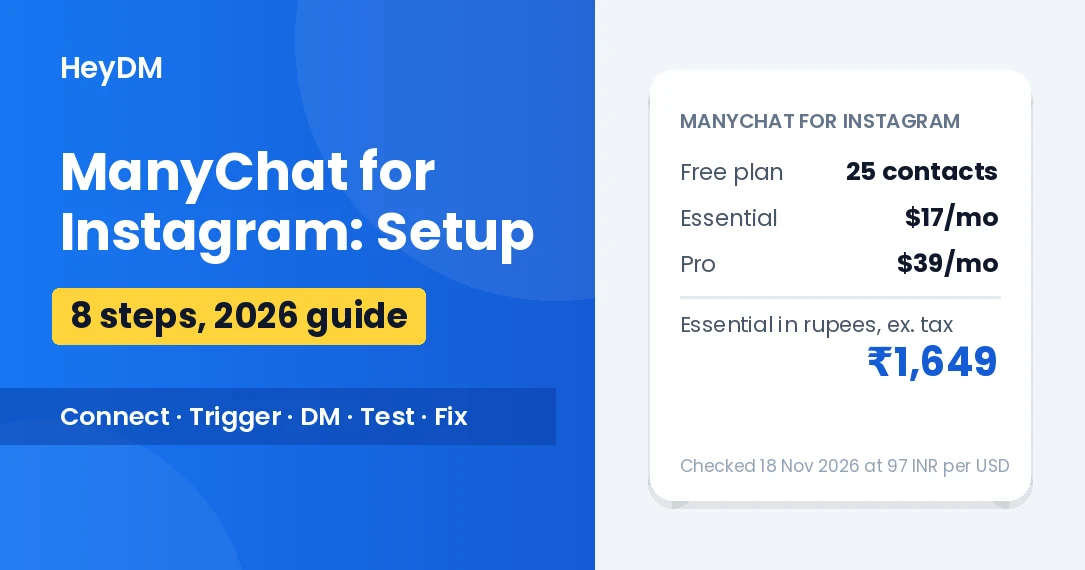
ManyChat charges by active contacts: anyone who sends or receives a message through ManyChat in a month. Every person who comments your keyword and gets a DM counts. Prices are in US dollars and exclude tax:
| Plan | Active contacts / month | Monthly billing | Yearly billing (per month) |
| Free | 25 | $0 | $0 |
| Essential | 250 | $17 (≈ ₹1,649) | $14 (≈ ₹1,358) |
| Pro | 2,500 | $39 (≈ ₹3,783) | $29 (≈ ₹2,813) |
| Business | 7,500 | $99 (≈ ₹9,603) | $69 (≈ ₹6,693) |
If more people message you than your plan covers, ManyChat keeps the automations running and charges per extra contact ($0.05 each on Pro with monthly billing). The free plan also adds "Powered by Manychat" to the first message each person receives. So a Reel that brings in 3,000 commenters in a month costs more than a quiet month, because the bill follows your busiest content.
For the full rupee breakdown with 18% GST, card fees and the RBI e-mandate renewal issue, see ManyChat pricing in India.
When ManyChat Is the Right Choice
ManyChat does a lot more than comment-to-DM, and for some accounts that's worth paying for:
- You need more than Instagram. ManyChat also automates WhatsApp, Facebook Messenger, TikTok and SMS from one place.
- You build complex funnels. Branching flows, tags, custom fields, AI replies on higher plans, and integrations such as Shopify, HubSpot and Google Sheets.
- You have a team. Higher plans add seats and a shared Live Chat inbox.
A Simpler Alternative for Instagram-Only Accounts
If all you want is "comment a keyword, get the link" on Instagram, plus lead capture, most of ManyChat's builder goes unused, and the bill still grows with every commenter. That's the gap HeyDM is built for.
- One price, no contact counting. $9.99 a month or $99 a year, with no limit on contacts or DMs, so a viral Reel doesn't change the bill.
- No Facebook Page needed. HeyDM connects with Instagram Login, so a professional Instagram account is enough.
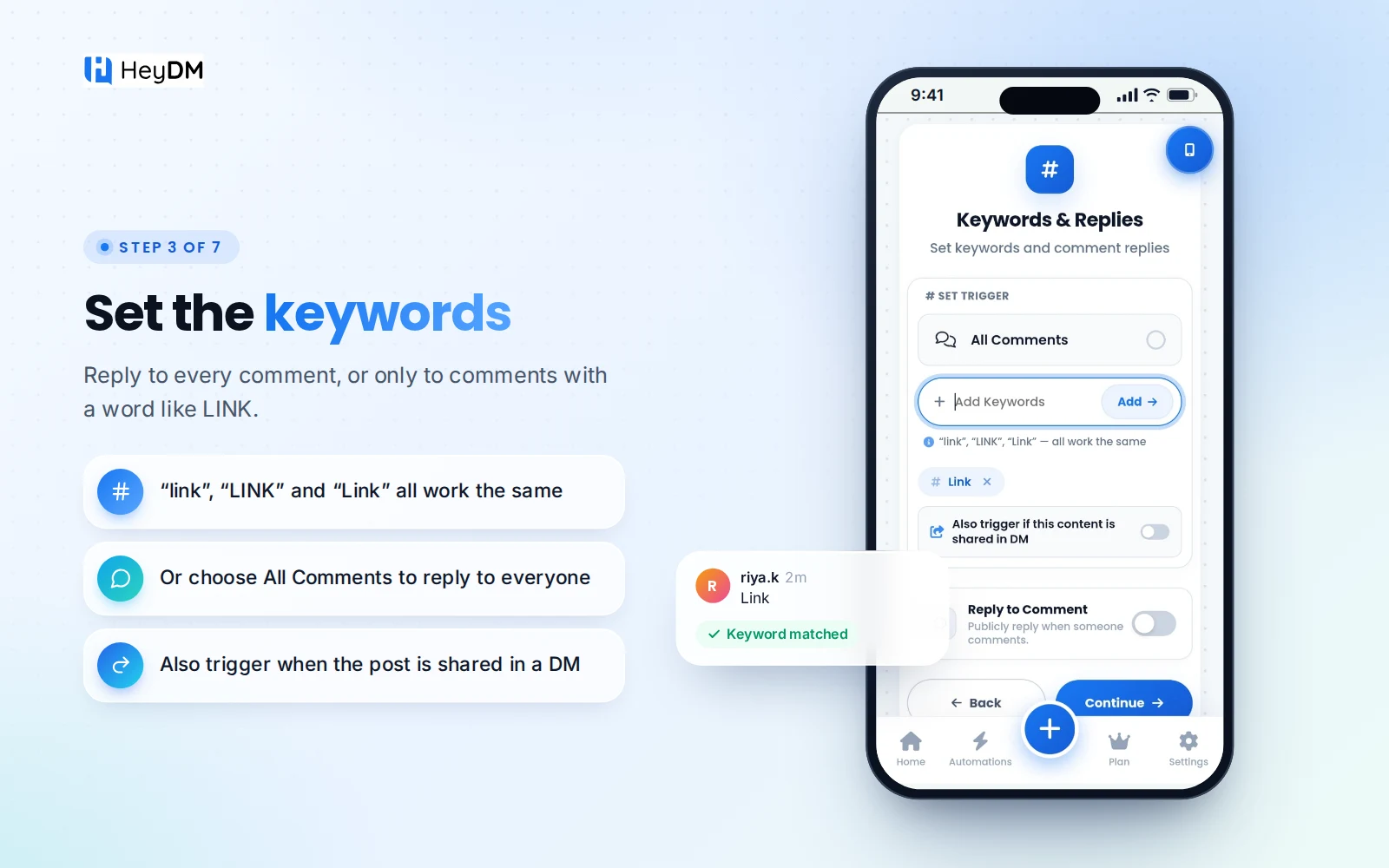
- Set up in a few minutes. Pick the post (or the next post), add keywords, write the public replies and the DM. There's no flow builder to learn.
- The features creators use most. AI variations for public replies, a Follower Gate that asks people to follow before they get the link, email and phone collection, DM keyword replies, follow-ups to people who replied, automation on older posts, and Smart Safe Mode, which paces replies so they look natural.
- Prices in rupees for India, paid with UPI, cards or net banking, and a 14-day free trial.
HeyDM covers Instagram only, so if you need WhatsApp or Messenger in the same tool, ManyChat fits better. For a side-by-side table, read ManyChat alternative: HeyDM vs ManyChat, or see our list of the best ManyChat alternatives for Instagram. To see HeyDM's comment-to-DM setup, visit Instagram comment to DM, and plans are on the pricing page.
FAQ
Is ManyChat free for Instagram?
There's a free plan with 25 active contacts a month and up to 4 live triggers, and it adds "Powered by Manychat" to the first message. One Reel with a comment keyword usually goes past 25 people quickly, so most creators move to a paid plan.
Is ManyChat safe for Instagram?
ManyChat uses Meta's official Instagram API and doesn't need your password. It only messages people who contacted you first. No tool can promise Instagram will never restrict an account, so keep messages useful and avoid spammy wording.
Do I need a Facebook Page to use ManyChat with Instagram?
For the "Via Meta" connection, which ManyChat recommends, yes: your Instagram account must be linked to a Facebook Page you manage. The "Connect via Instagram" option skips this, but some advanced features may be limited.
Why is my ManyChat Instagram automation not sending DMs?
The most common reasons are that "Allow access to messages" is off in the Instagram app, the automation isn't live, the keyword doesn't match, the post is a collab published by another account, or permissions need refreshing in ManyChat.
Can ManyChat check if someone follows me before sending the link?
Yes. You can add a condition in the flow that checks whether the person follows your account and sends a different message if they don't.
How much does ManyChat cost for Instagram DM automation?
Essential is $17 a month (about ₹1,650) for 250 active contacts, and Pro is $39 a month (about ₹3,780) for 2,500, before tax. Yearly billing is cheaper per month. Extra contacts above your plan are charged on top.
What's a simpler alternative to ManyChat for Instagram?
For Instagram-only comment-to-DM, HeyDM costs $9.99 a month with no contact or DM limits, connects without a Facebook Page and has no flow builder to learn. ManyChat is the better pick if you also need WhatsApp, Messenger or complex integrations.
ManyChat setup steps follow ManyChat's help centre, and prices were checked on its pricing page on 18 November 2026. Rupee figures use ₹97 per dollar and exclude GST. Menus and prices change, so check ManyChat's site before you buy.