Instagram Auto Reply for Comments, DMs and Stories
HeyDM replies for you on Instagram: a public reply under each matching comment, an instant answer when someone messages you a keyword like PRICE, and a DM when someone replies to your Story. It connects through Instagram's own login and runs on Meta's official API.
14-day free trial, then $9.99/month or $99/year. Cancel anytime.
What HeyDM auto-replies to
Each automation starts from one trigger. You can run several at once, for example one for comments on a Reel and one for DMs.
Someone comments on your post or Reel
A public reply under the comment, plus a DM with your link or button.
Someone messages you a keyword
The answer you saved for that keyword, such as a price list or booking link.
Someone replies to or reacts to your Story
A DM with the link, code or message for that Story.
Someone shares your post or Reel to your DMs
The same DM as that post's automation, if you switch it on.
Auto-reply to Instagram comments
Comment replies work on posts and Reels. The DM that goes out after the comment is covered in detail on our comment-to-DM automation page; this section is about the reply itself.
Keywords or every comment
Reply only to comments that contain your keywords, such as LINK or PRICE, or choose Any Keyword to answer every comment on the post.
Posts and Reels
Pick one post or Reel, switch it on for older posts that still get comments, or set it for every post you publish next.
Public reply under the comment
A short line such as "Sent, check your DMs" shows other people the reply is real and nudges them to comment too.
Varied wording
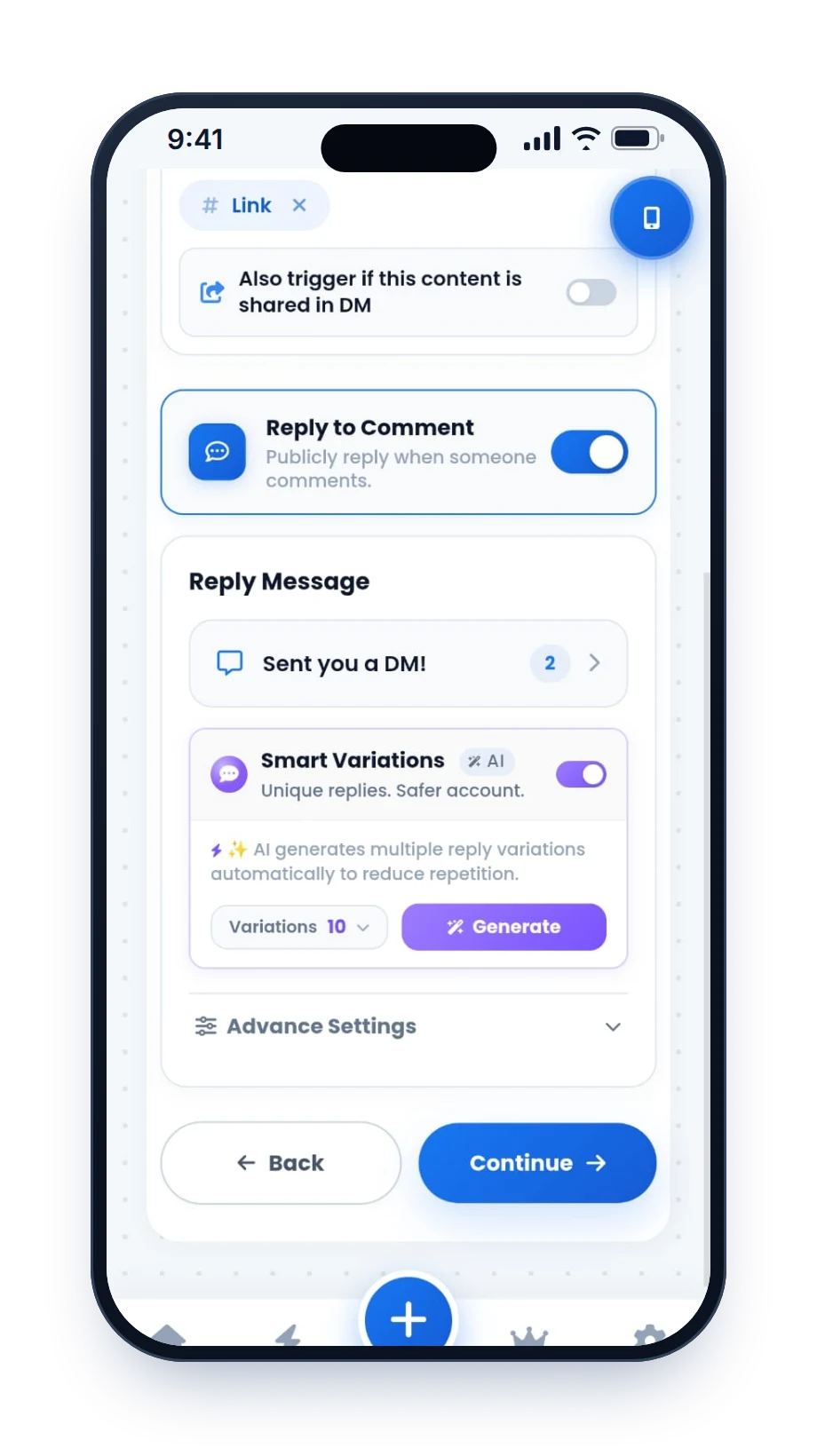
AI message variations write several versions of your reply, so a busy post does not fill up with the same sentence.
Tag the commenter
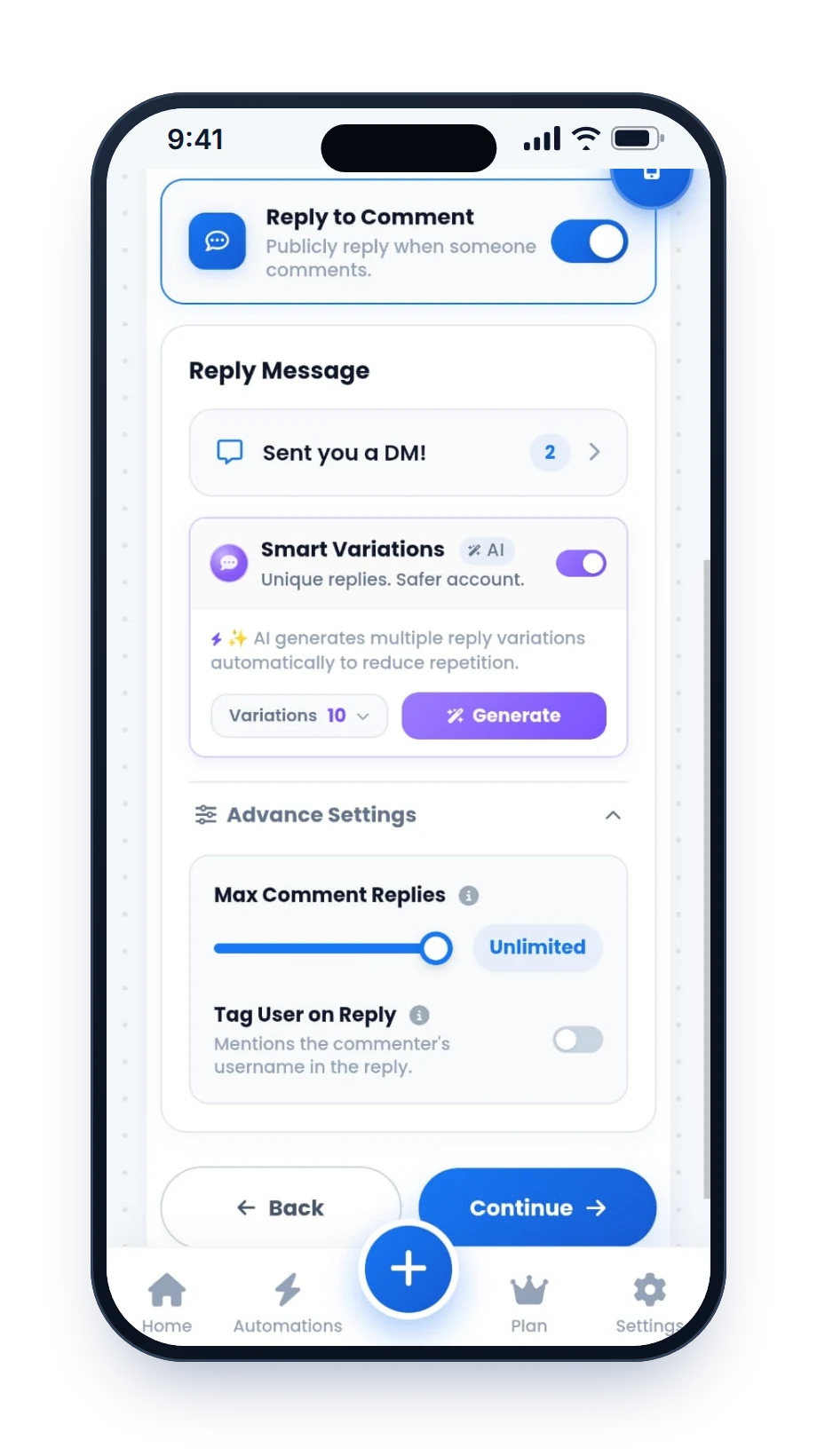
Tag User on Reply adds the person's @username to the start of the reply, so Instagram notifies them directly.
A cap on public replies
Set a limit on how many public replies an automation posts, from 10 up to 500, or leave it open. The DMs keep going.
Shared posts count too
If someone shares the post or Reel to your DMs, the same automation can send them the link.
DM keyword replies: answer the words people message you
Someone messages your account a word such as PRICE, MENU or BOOK. HeyDM spots the keyword and replies with the answer you saved for it. Each keyword can send a different reply, or you can choose Any Message to answer every new DM.
It suits the questions you answer every day: price lists, shipping and COD, timings, fees and booking links. If the person writes back or taps a button, a follow-up can go out inside Meta's 24-hour window, and only to people who replied.
DM keywords answer words people message you. Words people comment under a post are handled by comment-to-DM automation.
DM keyword ideas by business
| Keyword someone sends | Automatic reply | Follow-up (only if they reply or tap) |
|---|---|---|
| PRICE | Your price list or catalogue link | Ask which product they want, then send that page |
| COD or SHIPPING | Your shipping, COD and returns policy | Send the order link |
| BOOK | Your booking link | Ask for their email to send a confirmation |
| FEES | Course or coaching fees and what is included | Send the brochure or a call link |
| MENU | Today's menu or this week's catalogue | None needed |
More wording to copy in our Instagram auto-DM templates. For stores, see Instagram automation for online stores; for coaches, Instagram DM automation for coaches.
Story replies and reactions
When someone replies to or reacts to your Story, HeyDM can send them a DM: the link from that Story, a discount code or a simple thank-you. Set it for one Story or for all your Stories.
Because the viewer acted first, the message is allowed under Meta's rules, and you can keep the conversation going for 24 hours after their last message. Ideas and a 6-step setup with app screens are on our Instagram Story automation page.
Instagram's free auto replies vs HeyDM
Instagram and Meta Business Suite include a few free reply tools. They suit simple cases, like one fixed answer to every new message. HeyDM adds the parts they leave out.
| Free tools from Instagram and Meta | HeyDM | |
|---|---|---|
| Cost | Free | 14-day free trial, then paid |
| Comments | Meta Business Suite's "Comment to message" sends one fixed DM for chosen keywords | Public reply plus DM, several keywords per post, or every comment with Any Keyword |
| DMs | An instant reply to a first message, and saved replies you tap by hand | DM keyword replies, each with its own answer, or a reply to any message |
| Wording | The same text every time | AI message variations |
| Ask to follow first | Not available | Follower Gate asks for a follow before the link |
| Follow-ups | Not available | Only to people who replied or tapped, inside 24 hours |
| Viral posts | No pacing settings | Smart Safe Mode: reply delays, pacing and an hourly limit |
Meta changes its free tools from time to time, so check what your account shows. Step-by-step setup for each free option is in our guide to setting up Instagram auto replies without coding.
Why replies are paced, not instant
Fast is good, but hundreds of identical replies in one minute look like a bot. Smart Safe Mode adds natural reply delays, times the first DM, paces messages and sets an hourly reply limit. On top of that, Meta's API has rules every official tool follows.
Instagram's messaging rules
- One private reply per comment. The first DM after a comment has to include the link or a button that leads to it.
- Within 7 days. A private reply to a comment has to go out within 7 days of the comment.
- 24 hours after a message. When someone messages you or replies, you can keep talking for 24 hours from their last message.
- No cold DMs. The person always acts first: a comment, a Story reply or a message.
- Professional accounts only. Personal accounts cannot be automated through the official API.
- Source: Meta's Instagram private replies documentation. More in our guide to Instagram DM limits.
Set up your first auto reply
Every setting lives in one flow, so you can change a keyword or a link later without rebuilding anything.
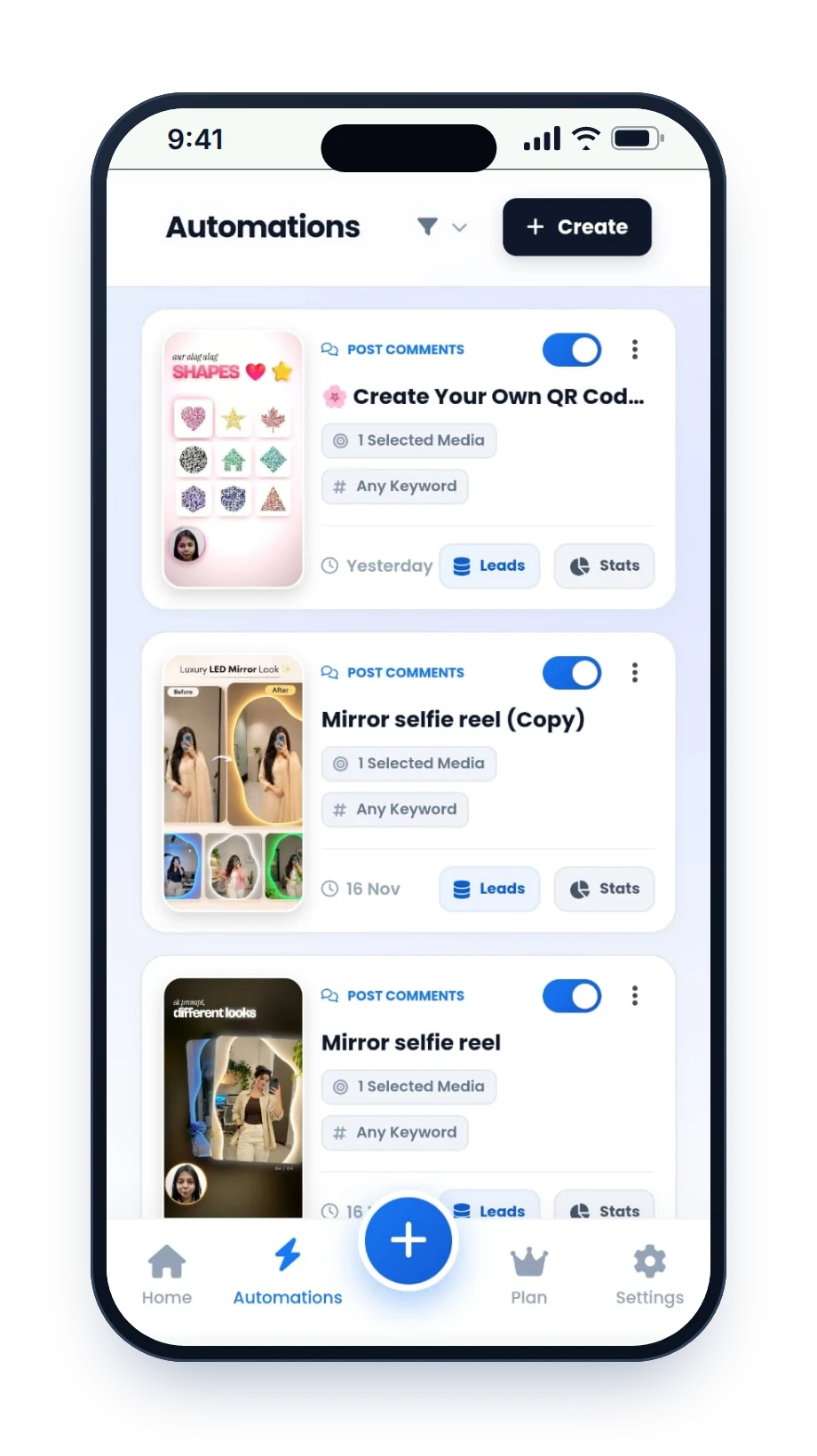
Connect Instagram
Sign in through Instagram's own login screen. A professional account (Creator or Business) is enough; you do not need a Facebook Page.
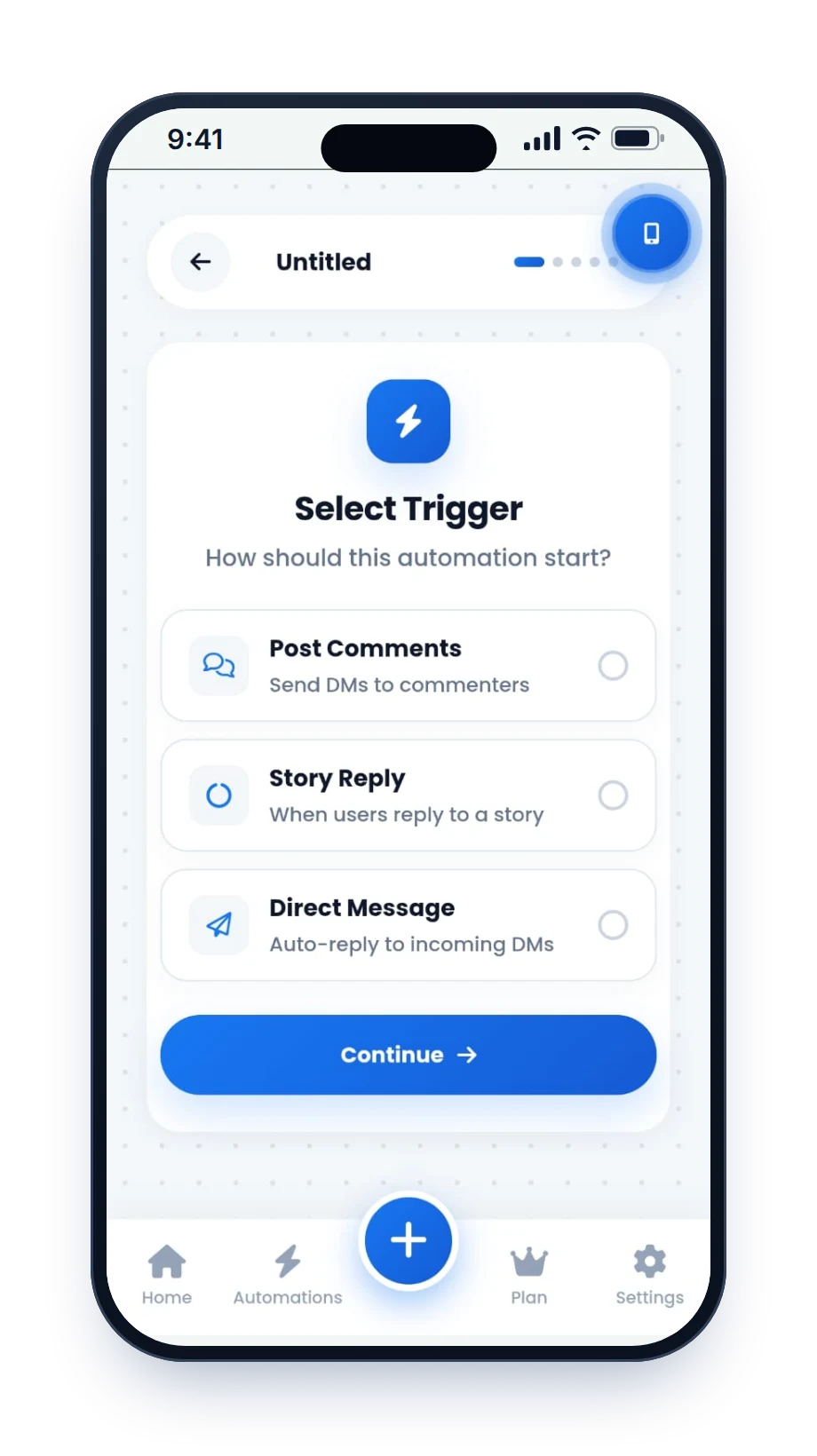
Choose the trigger
Post Comments, Direct Message or Story Reply.
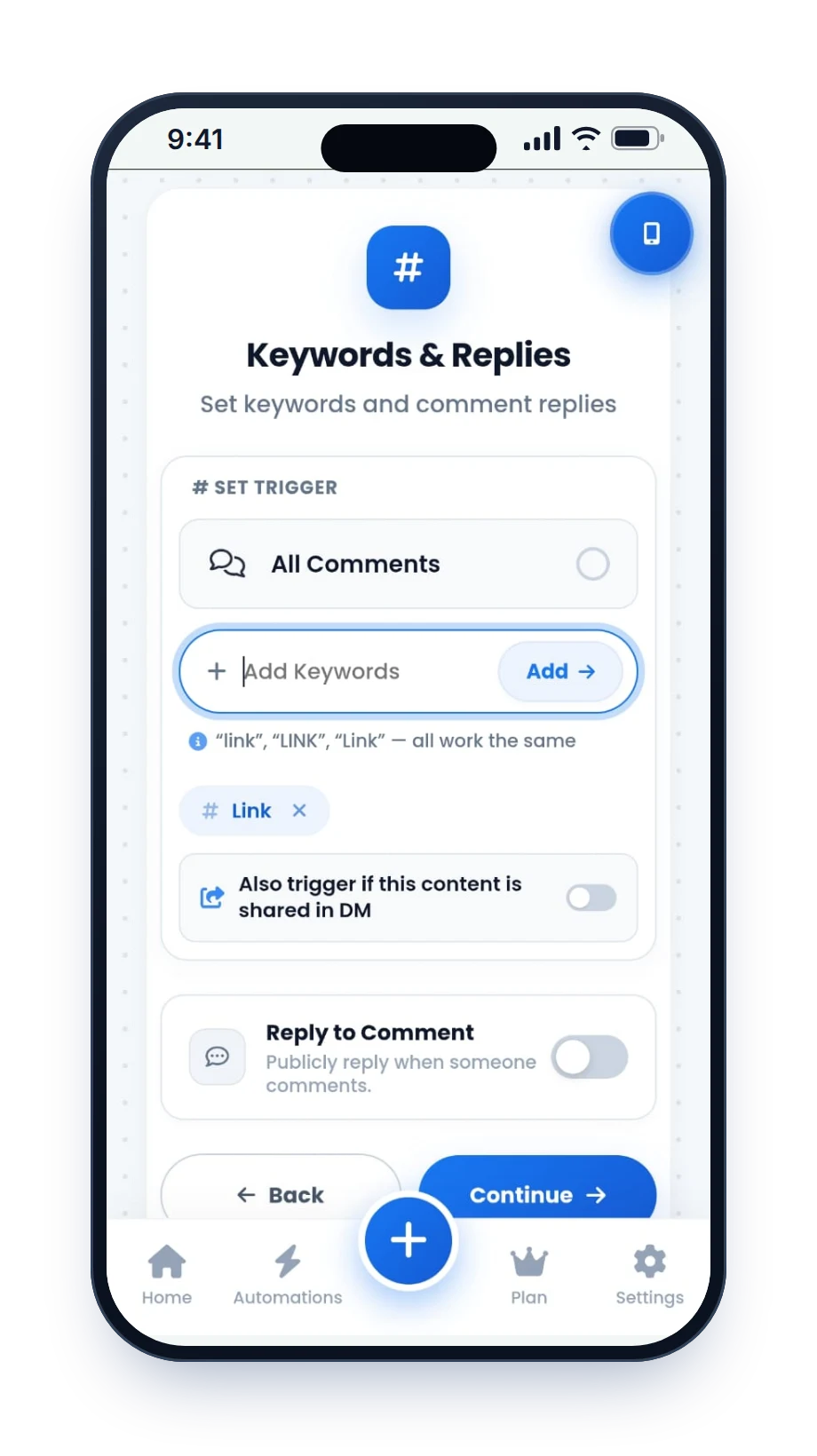
Set the keywords
Add the words that start the reply, or choose Any Keyword for comments and Any Message for DMs.
Write the reply
Add the public reply and the DM with your link or button. Switch on Tag User on Reply and AI variations if you want them.
Set limits and publish
Pick a public reply cap, keep Smart Safe Mode on, and add Follower Gate or email and phone capture if you need them.
Reply ideas to copy
Short replies work best. Change the link and the tone to match your account. There are more in our auto-DM templates.
Public comment reply
Keep it short so people see the DM is on its way.
Price question by DM
Keyword: PRICE.
Booking by DM
Keyword: BOOK.
Story reply
Someone replies to your Story.
Shared Reel
Someone shares your Reel to your DMs.
Hinglish reply
Keyword: PRICE, for Indian audiences.