Instagram Story Automation: Auto-DM Every Story Reply
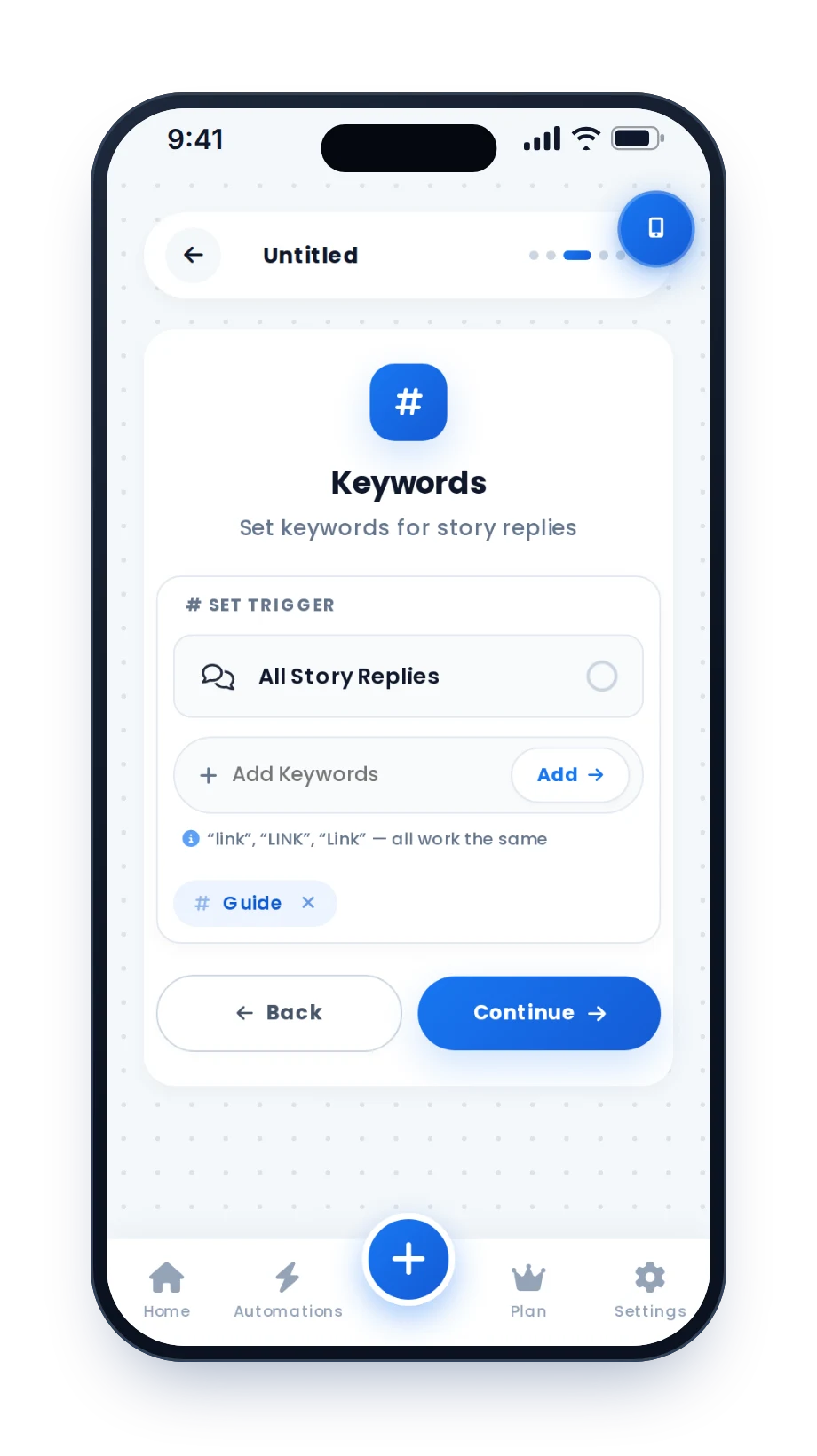
Put "Reply GUIDE" on your Story. When someone replies with that word, or reacts to it, HeyDM sends them the link in their DMs straight away. Set it for one Story or for every Story you post, and it runs while you sleep.
14-day free trial, then $9.99/month or $99/year. Cancel anytime.
What on a Story can trigger a DM
Tools on Meta's official API can only answer things that reach your inbox as a message. Story replies and reactions do; views and stickers do not.
| What the viewer does | Can HeyDM send a DM? | Best use |
|---|---|---|
| Replies to your Story with a keyword | Yes | Pricing, bookings, lead magnets |
| Replies to your Story with anything | Yes, with All Story Replies | Thank-you messages, a link for everyone who answers |
| Sends an emoji reaction (🔥, 😍) | Yes | Light freebies and warm-up offers |
| Views, poll votes, quiz answers, slider ratings, link sticker taps | No, they never reach your inbox | Ask for a reply instead, for example "Reply A or B" |
If a tool promises to DM everyone who viewed your Story, it is not using Meta's official API.
Reactions or keyword replies: which to use
Both work, but they bring in different people. A simple rule: reactions for warm-up and light freebies, keyword replies for anything with money attached.
Reactions take one tap
You get far more of them, but people send a heart for all sorts of reasons. Keep the DM light ("Glad you liked it! Want the full checklist?") instead of a sales pitch.
Keyword replies take a few seconds
You get fewer, but every person asked for the thing. That makes them better for pricing, bookings and lead magnets.
One Story or all Stories
Pick one active Story, or run the automation on every Story you have up now and every new one you post.
Varied wording
AI message variations write several versions of your DM, so a busy Story does not send the same text to everyone.
Set up Story automation in 6 steps
These are real screens from the HeyDM app. Stories need one step fewer than posts, because a Story reply is already private, so there is no public reply to write.
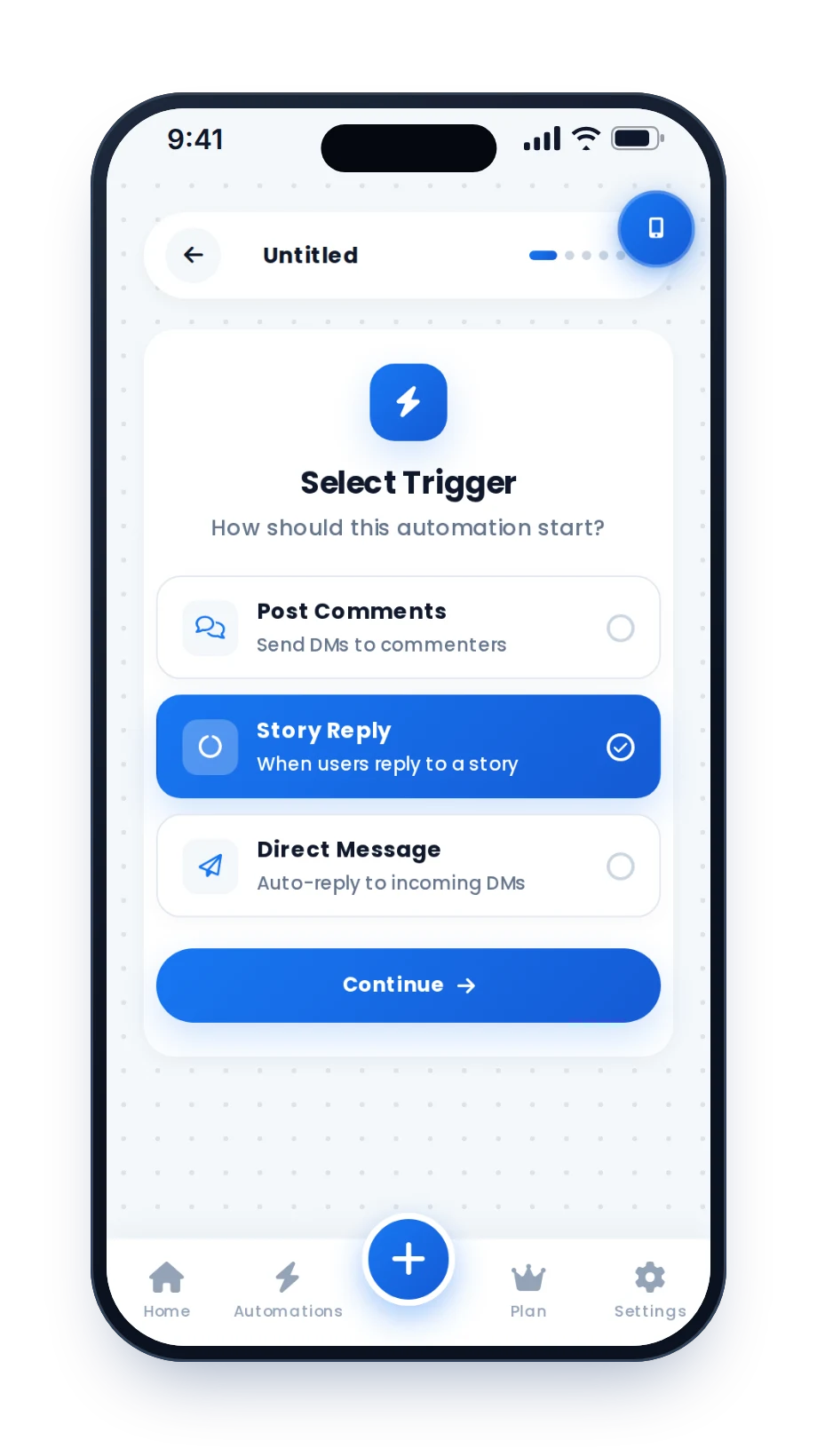
Choose Story Reply
Start a new automation and pick the Story Reply trigger: "When users reply to a story".
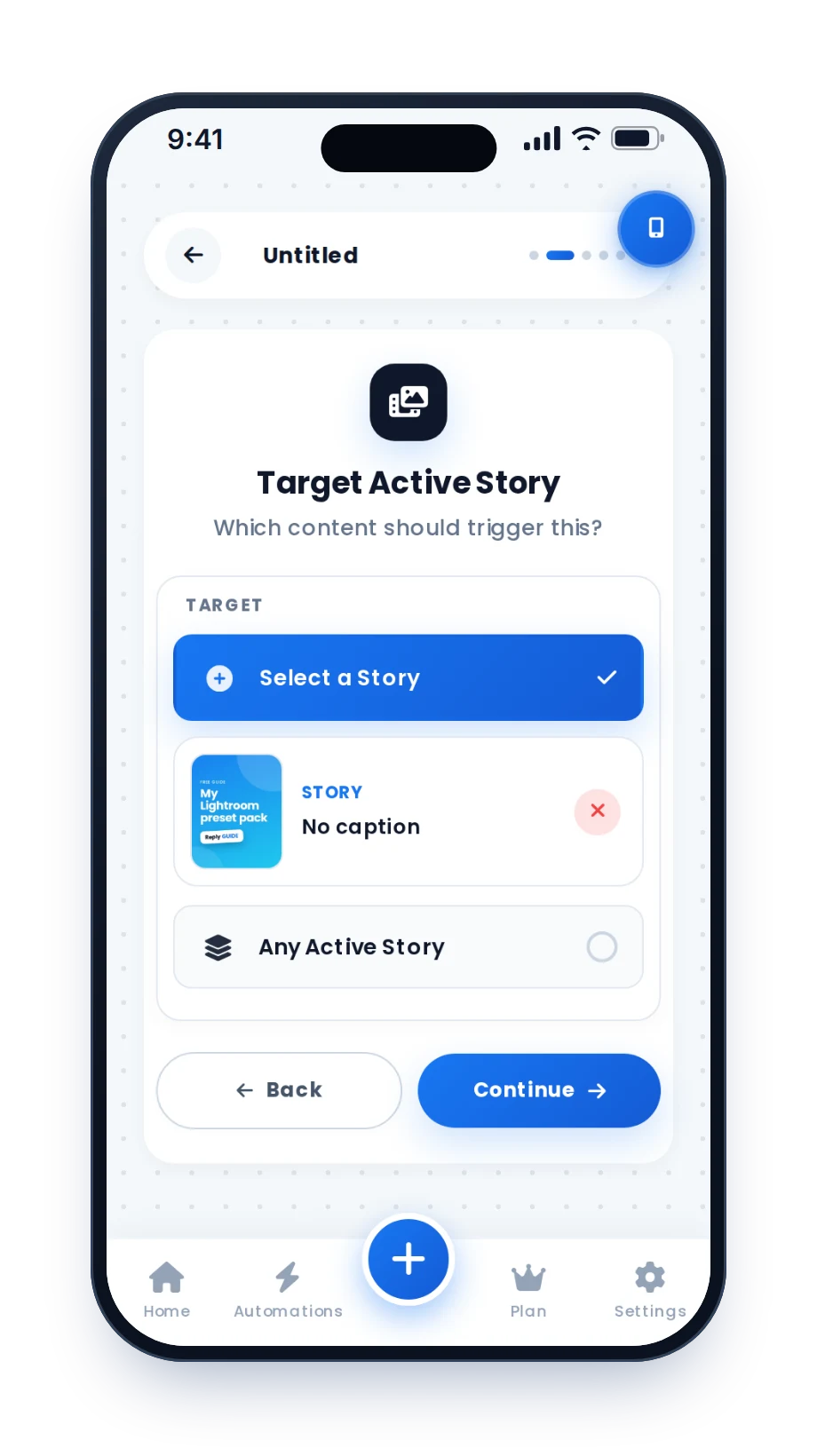
Pick the Story
Choose one active Story, or all your Stories, including the ones you post next.
Set the keywords
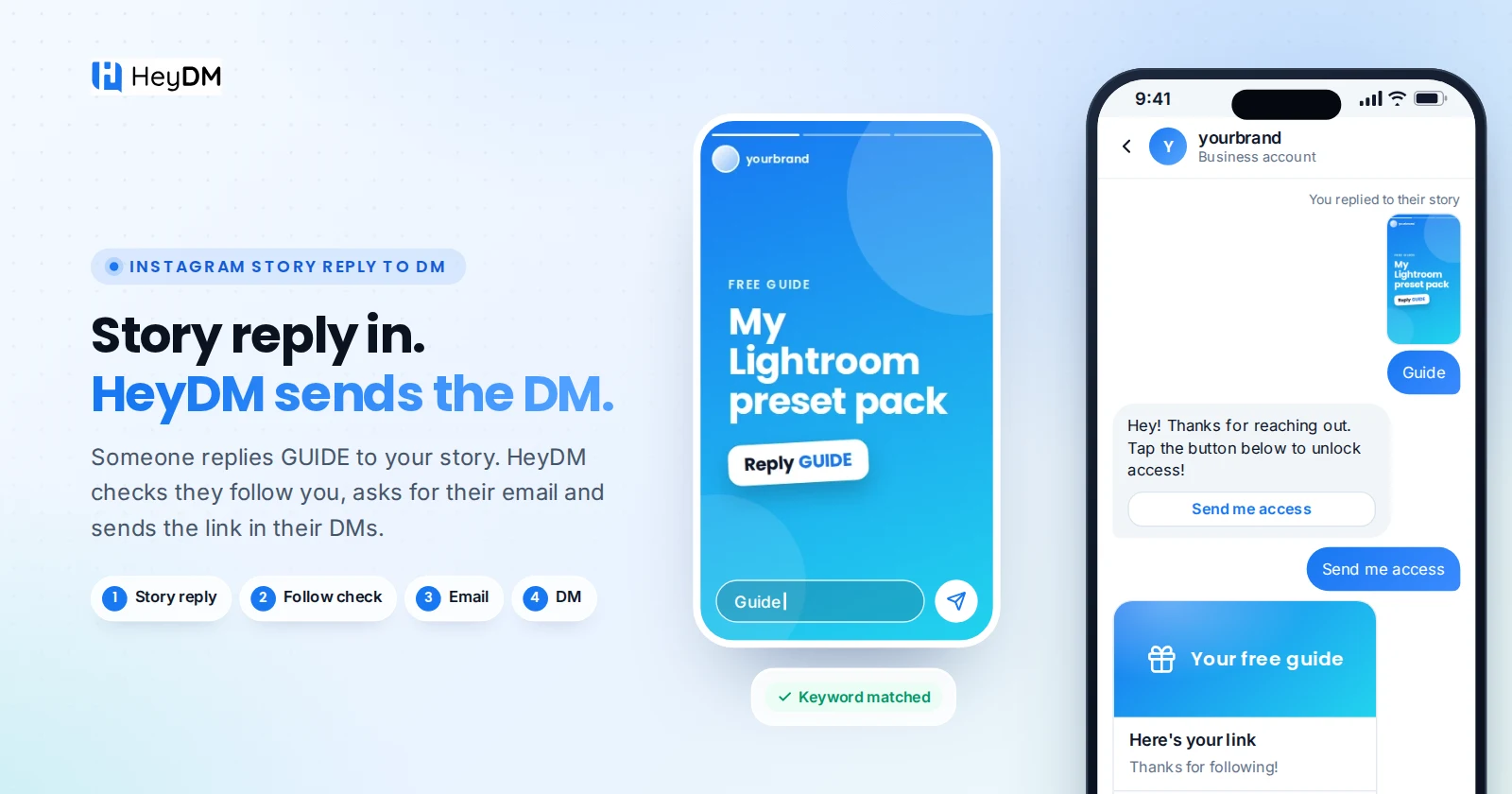
Add words like GUIDE or PRICE. Capital letters do not matter. Or choose All Story Replies to answer everyone.
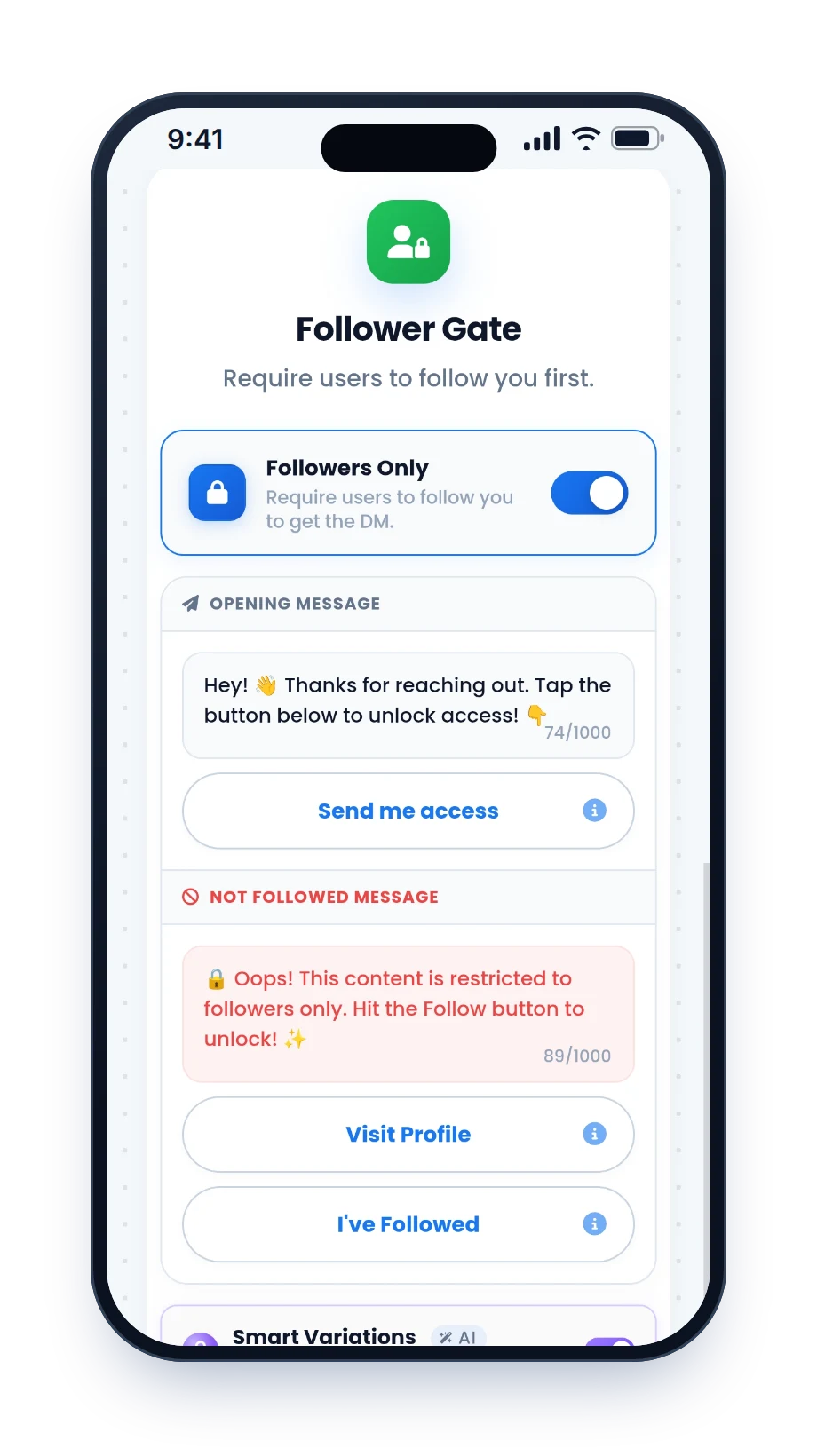
Ask for a follow (optional)
Follower Gate checks that the person follows you before the link goes out.
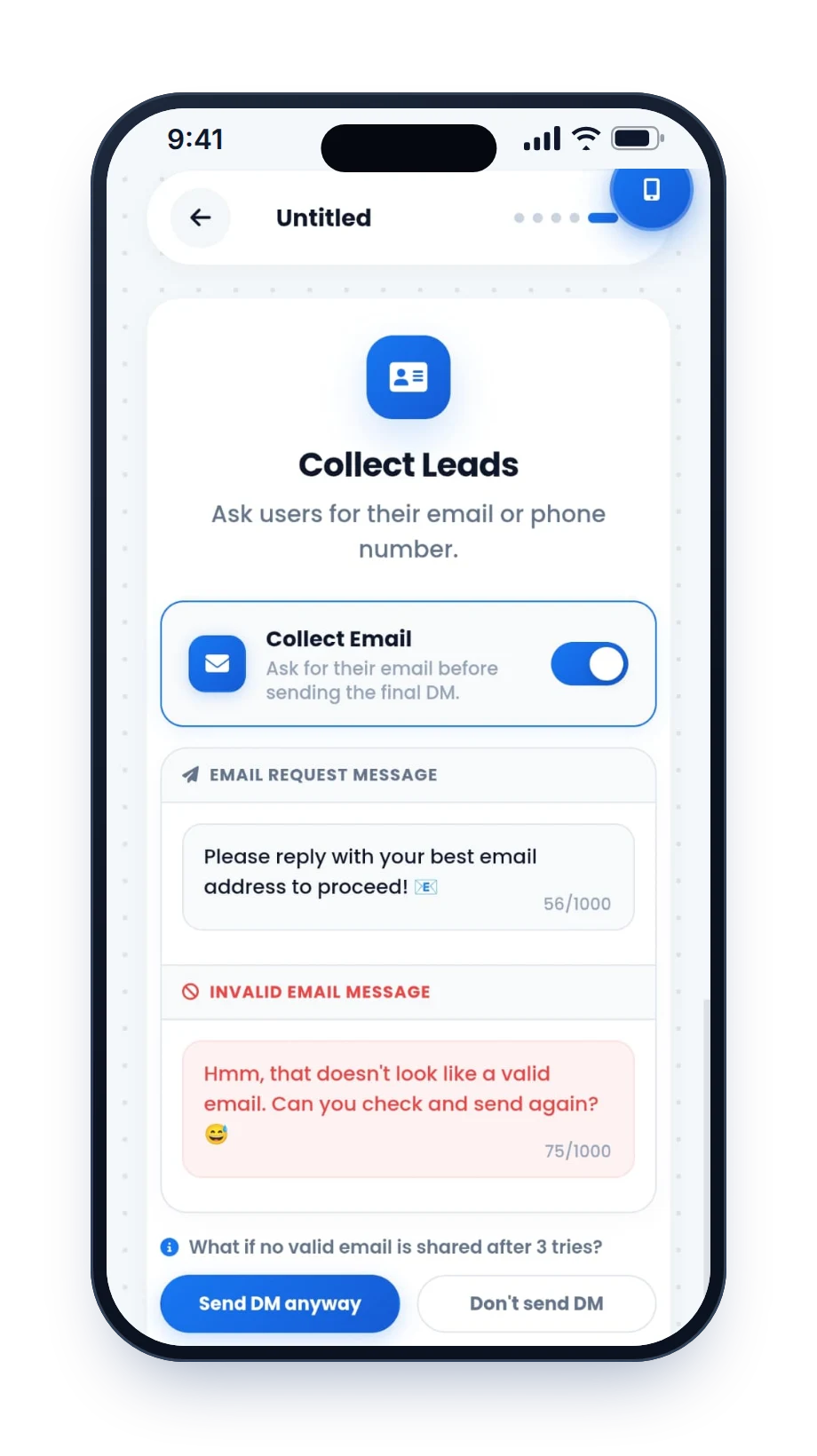
Collect an email (optional)
Ask for an email or phone number first. Every lead is saved in your Leads list.
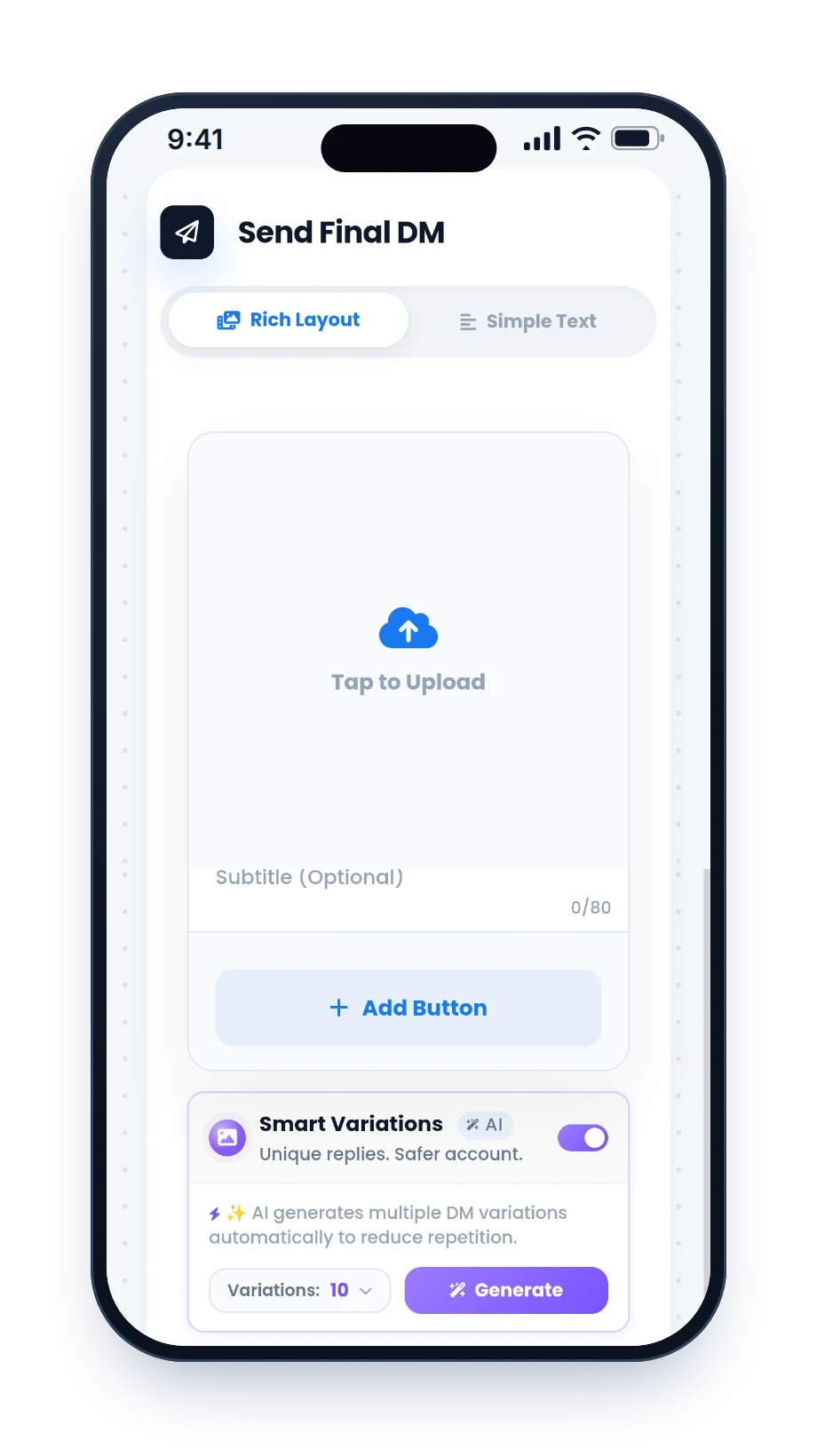
Write the DM and publish
Add your message and a button with the link. Then post the Story with "Reply GUIDE" in big text.
Story automations worth copying
Change the link and the tone to match your account. More wording in our auto-DM templates.
The lead magnet
Story: "Reply GUIDE and I'll send you my 5-day content calendar."
Pricing on request
Story: "Thinking about 1:1 coaching? React 🔥 and I'll send how it works and what it costs."
Limited slots
Story: "3 shoot slots left this month. Reply BOOK for the calendar."
A product drop
Story: "New colours drop tonight. Reply DROP for the link before it goes public."
A Highlight that keeps working
Save the Story to a Highlight. New viewers can still reply weeks later, and the automation still answers.
Hinglish reply
For Indian audiences, match the language of your Stories.
The 24-hour rule for Stories
A Story reply or reaction counts as the person messaging you. That is what makes the DM allowed, and it also sets the clock.
Instagram's messaging rules
- 24 hours from their last message. You can reply, automatically or by hand, for 24 hours. After that a business cannot message them until they write again.
- Put the link in the first DM. There may not be a second chance.
- End with a question. If they answer, the clock resets. HeyDM follow-ups only go to people who replied or tapped a button, inside that window.
- No cold DMs. Only people who replied or reacted get a message. Views never count.
- Professional accounts only. Personal accounts cannot be automated through the official API.
- More in our guide to Instagram DM limits.
Mistakes that waste a Story
- No instruction on the StoryIf it does not say what to send and what they get, people will not do it. "Reply GUIDE" in big text beats a caption nobody reads.
- A sales pitch in reply to a heartSomeone who reacted to your holiday photo does not want your course link. Use keywords for offers.
- A DM that is just a linkA bare URL looks like spam. Add a sentence around it, or use a button.
- Two tools on one accountIf two apps both answer Story replies, people get two DMs. Switch the other one off.
- Skipping the testReply to your Story from a second account and check what arrives before you post the real one.
Which tools support Story automation
| Tool | Story replies to DM | Paid from (monthly) |
|---|---|---|
| HeyDM | Story replies and reactions, keywords or every reply, all features in one plan | $9.99 |
| LinkDM | Story auto-reply, also on its free plan (1,000 DMs a month) | See HeyDM vs LinkDM |
| CreatorFlow | Story reply automation, also on its free plan (500 DMs a month) | See HeyDM vs CreatorFlow |
| SuperProfile | Story AutoDMs on the Creator plan | $29, see HeyDM vs SuperProfile |
| ManyChat | Story reply automations, priced by active contacts | $17 (Essential), see HeyDM vs ManyChat |
Prices as listed on each tool's own site in November 2026. All tools side by side: compare Instagram DM automation tools.