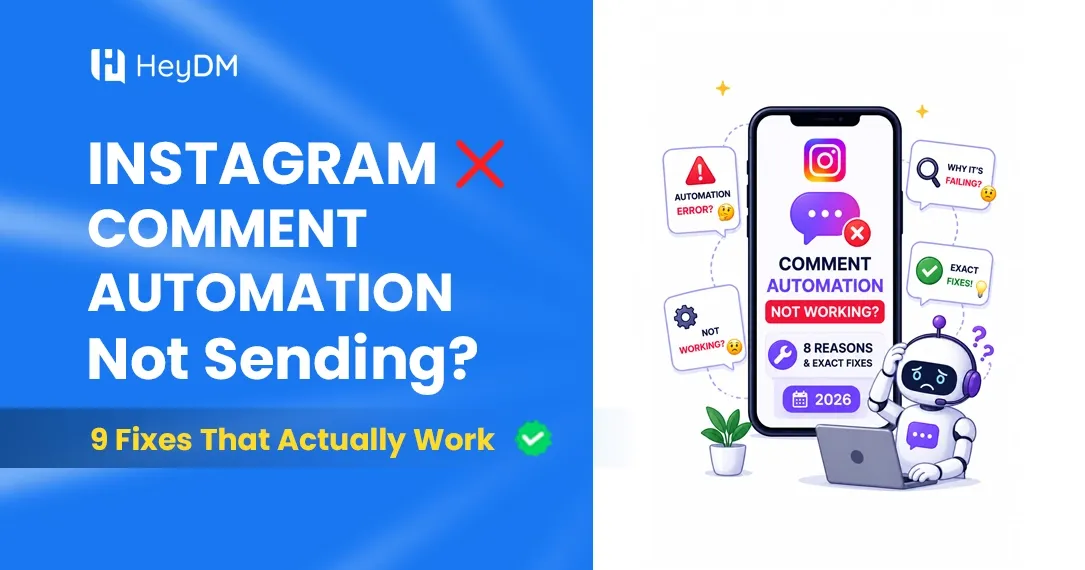
Instagram Auto Reply Not Working? 7 Reasons and How to Fix Each One (2026)
AutomationYour Instagram auto replies suddenly stopped? Here are the 7 most common reasons — and step-by-step fixes for each one. Get your automation back up in minutes.
You set everything up. Keyword — done. DM message — written. Campaign — published. ✅
You post your Reel, wait for comments... and then nothing. Your followers are commenting "LINK" but nobody is getting the DM.
You check the tool. It says it's running. You check Instagram. Everything looks fine. But the auto replies are just... not going out.
If this sounds like you, take a breath. 😮💨
This is way more common than you think, and almost every single time, it comes down to one of 7 fixable things. No drama, no technical degree needed — just work through this list and you'll be back up in minutes.
Let's go. 👇
Before You Start — Do This Quick Check First
Before diving into the 7 reasons, do a quick 60-second check:
✅ Is your campaign published? (Not saved as draft) ✅ Are you testing with a different account — not your own? ✅ Is the commenter commenting the exact keyword you set?
People forget to hit "Publish" more than you'd think. And Instagram automation tools will never auto-DM the account that owns the page — always test with a friend's account or a second account you have.
Still not working after those checks? Then one of these 7 reasons is the culprit. 👇
Reason #1: The "Allow Access to Messages" Toggle Is Turned Off 📵
This is the #1 reason — and it's the sneakiest one because everything in your tool looks perfectly fine.
Instagram has a setting inside the app that lets connected tools send and receive messages on your behalf. If this toggle is off, your automation tool is basically standing at a locked door. It can see the comments coming in, but it literally cannot send DMs.
How to fix it:
Open Instagram on your phone (not desktop — this only works on mobile). Then go to:
Profile → Menu (☰) → Settings and Activity → Messages and Story Replies → Message Controls → Connected Tools → Allow Access to Messages → Turn this ON ✅
That's it. This one fix solves the problem about 50% of the time.
Why does it turn off randomly? A few things can flip this switch off without you touching it — Instagram app updates, logging out and back in, switching phone devices, or changing your account type. Worth checking this first every single time your automation stops.
Reason #2: Your Instagram Account Is Not a Business or Creator Account 🔄
Instagram's official API — the one that all legitimate automation tools run on — only works with Business or Creator accounts. Personal accounts are completely blocked from it.
If someone accidentally switched your account back to Personal (it happens more than you'd think, especially when switching phones or updating settings), your automation will silently stop working overnight.
How to check: Go to your Instagram profile. Tap Edit Profile. If you see a "Professional Account" section, you're good. If you don't, your account is Personal.
How to fix it:
Go to Profile → Settings and Activity → Account Type and Tools → Switch to Professional Account → Select Creator or Business
This takes about 30 seconds and costs nothing. Switching back won't affect your followers, content, or anything else.
Pro tip 💡 — After switching, also reconnect your Instagram account inside HeyDM. Go to your HeyDM dashboard, disconnect your Instagram, and reconnect it fresh. This refreshes the permissions and usually gets things running immediately.
Reason #3: You've Hit Instagram's Rate Limit ⚡
Here's something that surprises most people: Instagram limits how many automated DMs you can send per hour.
The limit is 200 DMs per hour — no exceptions, even for verified accounts or large businesses.
If your Reel goes even a little bit viral and 300 people comment your keyword in 45 minutes, your automation hits the ceiling. The first 200 people get DMs. The rest? Nothing. And your tool doesn't always make this obvious — it just quietly stops sending.
How to know if this happened: Check your tool's analytics or activity log. If you see a sudden drop in DM delivery around the same time comments were spiking, this is almost certainly the reason.
How to fix it: Most good tools handle this with a queue system — the extra DMs get lined up and sent once the hourly limit resets. HeyDM does this automatically. If your current tool is just dropping those DMs entirely, that's a problem worth solving.
Going forward 💡 — You can't change Instagram's rate limit. But you can make sure your tool handles it properly instead of losing leads. HeyDM's queue system catches every commenter, even during viral spikes, and delivers their DM once capacity opens up. Nobody gets left behind.
Reason #4: The 24-Hour Messaging Window Expired ⏰
Instagram has a rule that most creators don't know about until it bites them.
When someone comments on your post, that action opens a 24-hour window during which you can send them a DM. If you try to DM them after those 24 hours pass — whether manually or through automation — Instagram blocks it.
This matters for automation when:
- You set up automation after a post was published, and comments on the old post are now older than 24 hours
- Someone's internet disconnected and their comment didn't register until hours later
- There was a delay between the comment and your tool processing it
How to fix it: For fresh posts, this isn't an issue as long as your automation is active before people start commenting. For old posts, HeyDM's "Re-trigger Old Posts" feature is designed exactly for this — it catches anyone who commented late or whose DM was missed.
Important 💡 — If someone gets their DM, replies to it, and you respond back, the 24-hour clock resets with each reply. So once a conversation starts, it can keep going as long as both sides are engaging. The 24-hour rule only applies to that very first message.
Reason #5: Your Keyword Trigger Has a Case or Spelling Mismatch 🔤
You set your keyword as "LINK" (all caps). Your follower typed "link" (lowercase). Or "Link". Or "LINK please". Or "can i get the link?"
Depending on how your automation is configured, it might not recognize any of these variations as matches — and no DM gets sent.
This is extremely common and really frustrating because everything looks fine from the outside. The campaign is running, the keyword is set, but comments that should be triggering it simply aren't.
Real example: A creator set "GUIDE" as her trigger word. She was missing about 40% of her leads because people were commenting "guide", "Guide", "guides", and "send me the guide." Only the exact match was firing.
How to fix it in HeyDM:
When setting your keyword trigger, add multiple variations. Add the all-caps version, the lowercase version, and a few common variations people might use. HeyDM lets you add as many keyword variants as you need in the same campaign.
Keywords to avoid 🚫 — Don't set "hi", "thanks", "yes", or "love this" as your keywords. These will fire on every casual comment and flood people with unexpected DMs. Keep keywords specific and intentional: "LINK", "PRICE", "GUIDE", "BOOK", "FREE", "SHOP".
Reason #6: Your Tool Lost Its Instagram Permission (Token Expired) 🔑
Behind the scenes, when you connect Instagram to an automation tool, it creates a special access token — basically a security key that lets the tool act on your behalf.
This token can expire. When it does, your tool loses the ability to send DMs, and the automation silently fails. Most tools don't send you a loud warning when this happens. They just... stop working.
Signs this is the issue:
- Automation was working perfectly for weeks, then suddenly stopped
- No error messages visible in the tool
- Everything looks connected on the dashboard
How to fix it:
Open HeyDM, go to your account settings, disconnect your Instagram account, and reconnect it. This generates a fresh access token and usually solves the problem instantly.
Also, if you recently:
- Changed your Instagram password
- Removed and re-added a Facebook Page
- Logged out of Instagram on your phone
- Updated to a new phone
...do a reconnect in your automation tool. Any of these actions can invalidate the existing token.
| If you go through all 6 and it's still not working, reach out to HeyDM support. Sometimes Instagram itself has a brief API outage (happens 2-3 times per year and usually clears within a few hours). You can check Meta's API status page to see if anything is down on their end. |
Why HeyDM Makes This Easier
Most of the issues above are things that good automation tools handle in the background so you never have to think about them.
HeyDM has a built-in queue system that handles rate limit spikes automatically, so you never lose leads during a viral moment. It also shows you clearly if there's a permission issue, so you're not guessing why things stopped.
Setting up is simple — Business/Creator account, "Allow access to messages" turned on, and you're live in about 2 minutes.
→ Start for free at heydm.co — pay only when you love it.
One More Thing — Don't Make These Common Mistakes 🚫
While you're fixing things, avoid these:
Don't send identical DMs to hundreds of people in a short time. Instagram's spam detection watches for robotic patterns. Always use the {first_name} variable and vary your message slightly.
Don't use unofficial bots. Any tool that asks for your Instagram password directly (not through Facebook's official login) is not using the official API. These get accounts flagged or banned. HeyDM uses Instagram's official Meta API — zero ban risk.
Don't panic and reconnect 10 times in a row. If something's not working, go through the checklist calmly, fix one thing at a time, and test after each fix. Rapid reconnecting can sometimes make things worse temporarily.
FAQ
My automation worked yesterday but stopped today — what happened? Most likely: the 24-hour window expired for old comments, or your access token expired. Reconnect Instagram in HeyDM and check the "Allow access to messages" toggle.
Why are my DMs going to Message Requests instead of the main inbox? This happens when someone who doesn't follow you gets your DM. It lands in their Message Requests folder where they may not see it. HeyDM's Follower Gate feature solves this — it checks if someone follows you before sending, which means DMs reach the main inbox instead.
My campaign shows "Active" but no DMs are sending. Go through the checklist above, starting with #1 (Allow access to messages toggle). Then try disconnecting and reconnecting your Instagram account in HeyDM.
Can I re-trigger automation on old posts? Yes. HeyDM has a "Re-trigger Old Posts" feature. This is useful if you published a post before setting up automation and want to catch the people who already commented.
Is Instagram auto reply safe to use? Completely safe, as long as you're using a Meta-verified tool like HeyDM that connects through Instagram's official API. The tools that get accounts flagged are unofficial bots that bypass the API. HeyDM is 100% compliant.
Still stuck? Drop a message at heydm.co and the support team will walk you through it.
HeyDM is a Meta-verified Instagram DM automation tool trusted by 1,200+ creators and businesses. Set up comment-to-DM automation in 2 minutes — no coding needed.