Complete Guide to Instagram DM Automation in 2026 (Step-by-Step for Beginners)
How Instagram DM automation works and how to set up your first comment-to-DM flow in minutes: step-by-step setup, tool checklist and mistakes to avoid.

You're Losing Leads Every Single Day, and You Don't Even Know It 😬
You post a Reel. People comment. DMs start coming in. And then life happens.
You reply three hours later, and the lead is already gone. They found someone else, bought from a competitor, or just lost interest. Or you spend more time typing "check your DMs 📩" than doing your actual work.
If you're a creator, coach, freelancer, or small business owner on Instagram, this is probably your everyday reality. Missed DMs = missed revenue. 💸
That's exactly where Instagram DM automation changes everything. Instead of manually replying to every message, you set up automated replies that respond instantly, 24/7, even while you sleep. No coding needed.
This guide covers everything: what DM automation is, how it works, how to set it up step by step, what to look for in a tool, and the mistakes to avoid.
What Is Instagram DM Automation? 🤖
Instagram DM automation means a tool automatically sends a direct message when someone takes an action you choose, like commenting a keyword on your post, replying to your Story, or messaging you a specific word.
Think of it as a smart assistant living inside your Instagram inbox. You define the rules once, and it does the work while you focus on content or your business.
Quick Example
You post a Reel about your digital product. The caption says: "Comment PRICE and I'll DM you the details."
Someone comments PRICE → they instantly receive a DM with your pricing, product link, and a call to action. No delay, no manual work. ✅
"No-code" means exactly that: no developers and no APIs to learn. Just a dashboard, a keyword, and a message. Good tools like HeyDM work through Instagram's official API, so it's fully within Meta's rules, not a bot pretending to be human.
How Instagram DM Automation Actually Works ⚙️
- Someone comments your keyword (for example "LINK") on a post or Reel
- The tool spots it within seconds
- Optionally, a short public reply goes out under their comment ("Sent! Check your DMs 📩")
- A private DM lands in their inbox with your link, PDF, or offer
The same logic works for Story replies and DM keywords: trigger → action. Everything else (follow gates, lead capture, AI replies) is built on top of that.
Why It Matters More Than Ever in 2026 📈
- ⚡ Faster replies = more conversions. The first few minutes after someone shows interest are when they're most likely to buy. Automation makes an instant reply the default.
- 🔗 "Link in bio" is leaking buyers. Asking people to leave your Reel, open your profile and find the right link loses people at every tap. A DM puts the link where they already are.
- 🕐 It works 24/7. Someone comments at 2 AM on a Sunday? They still get their reply.
- 📈 It survives a viral post. A Reel with 5,000 comments is impossible to answer by hand. Automation answers every one.
- 🗂️ You stop losing track. Comments get buried under new notifications. Automation keeps a record of who asked for what.
What to Look For in a DM Automation Tool ✅
- Official Meta API. Non-negotiable. Tools that ask for your password or mimic human clicks put your account at risk.
- Keyword triggers. The DM should only fire on words you choose ("link", "price", "guide"), so it stays relevant.
- Instant delivery. The DM should arrive within seconds of the comment.
- Follower gate. Asks commenters to follow you before the link is delivered, so reach turns into followers.
- Comments and Stories covered. You shouldn't need two tools.
- Lead capture. Collect emails or phone numbers inside the DM, not just send links.
- Safety controls. Reply delays, pacing and hourly limits so a viral spike doesn't look like spam.
- Fair pricing. A solo creator shouldn't pay enterprise rates or per-contact fees.
Comparing options? See our list of the 10 best Instagram DM automation tools or HeyDM vs ManyChat.
Step-by-Step: Set Up Your First DM Automation 🛠️
Here's the exact setup on HeyDM. Your first automation can be live in a few minutes.
Step 1: Create Your HeyDM Account
Go to HeyDM and start the 14-day free trial. You only pay if you decide to keep it.
Step 2: Connect Your Instagram Account
Log in with your Instagram account directly. No Facebook Page connection is needed; HeyDM uses Instagram's official login.
You'll need a Professional account (Business or Creator). If you're on a personal account, you'll see an option to switch inside the flow. It's free and takes under a minute.
Step 3: Create a New Automation
Click New Campaign and choose the type:
- Comment automation: fires when someone comments a keyword on a post or Reel
- Story automation: fires when someone replies to or reacts to your Story
For most people, comment automation shows results fastest.
Step 4: Pick Your Post or Reel
Choose the post you want to automate. You can also switch automation on for older posts that still get views, or set it for your next post before you publish it.
Step 5: Set Your Trigger Keyword
Pick the word that activates the DM:
- "link" / "send" / "details"
- "free" / "download" / "price"
- A custom word for your offer ("GUIDE", "MENU", "BOOK")
Avoid common words like "wow" or "love", or you'll DM people who never asked. Mention the keyword clearly in your video and caption.
Step 6: Write Your DM ✍️
Keep it short, warm and action-oriented. Use their name, give them what they asked for, and end with one clear next step.
Example: "Hey {Name}! 👋 Here's the course link you asked for: [link]. Got questions? Just reply here and I'll help you out!"
You can add a button with your URL. Skip long paragraphs; people skim DMs.
Step 7: Turn On Follower Gate (Optional, Recommended)
With Follower Gate on, HeyDM checks whether the commenter follows you. If not, it asks them to follow first, then delivers the link automatically. One viral Reel can bring in hundreds of genuine followers this way.
Step 8: Activate and Test 🔁
Hit Activate, then comment your keyword from a second account to confirm the DM arrives and the links work. If something doesn't fire, our auto reply troubleshooting guide covers the usual causes.
Who Should Use Instagram DM Automation? 🎯
- Coaches and course creators: comment "COURSE", get the enrolment or webinar link instantly. See DM automation for coaches and freelancers.
- Creators and influencers: deliver freebies and affiliate links, and grow followers with a follow gate.
- E-commerce and D2C brands: "comment SHOP" sends the product link and discount code. See the comment-to-DM strategy for e-commerce.
- Service businesses and agencies: auto-send your portfolio, service menu or booking link the moment someone asks.
- Real estate and local businesses: "comment DETAILS" beats "call this number" every time.
Common Mistakes to Avoid ⚠️
- A keyword that's too common. "Nice" or "wow" will DM random commenters.
- Forgetting old posts. Your best Reels from months ago still get comments; switch automation on for them too.
- Over-automating. Use automation to start conversations, not replace them. Reply personally when someone writes back.
- Spammy messages. Never DM people who didn't engage first. Always trigger from a user action.
- Zero personalisation. "Hi there, here is your link" feels cold. Use their name.
- Walls of text. Keep the first DM under three lines.
Pro Tips for Better Results 💡
- 🗣️ Tell people exactly what to type. "Comment LINK below and I'll send it to your DMs" can multiply your comment volume.
- 🚪 Use Follower Gate on every boosted post. You're already paying for the reach; make it turn into followers.
- ♻️ Re-activate your top 5 old posts. They still get views; now they'll generate leads too.
- 🧪 Test keywords and copy. Try "FREE" vs "SEND" on different posts and compare in your analytics.
- ⏰ Only use real urgency. "Offer closes Friday" works; fake urgency destroys trust.
Is Instagram DM Automation Safe? 🔒
Yes, as long as the tool uses Meta's official API and only replies to people who engaged with you first. Tools that ask for your password or send cold DMs are what get accounts restricted. HeyDM also adds natural reply delays and an hourly reply limit. For the details, read Instagram DM limits in 2026.
Where to Go Next
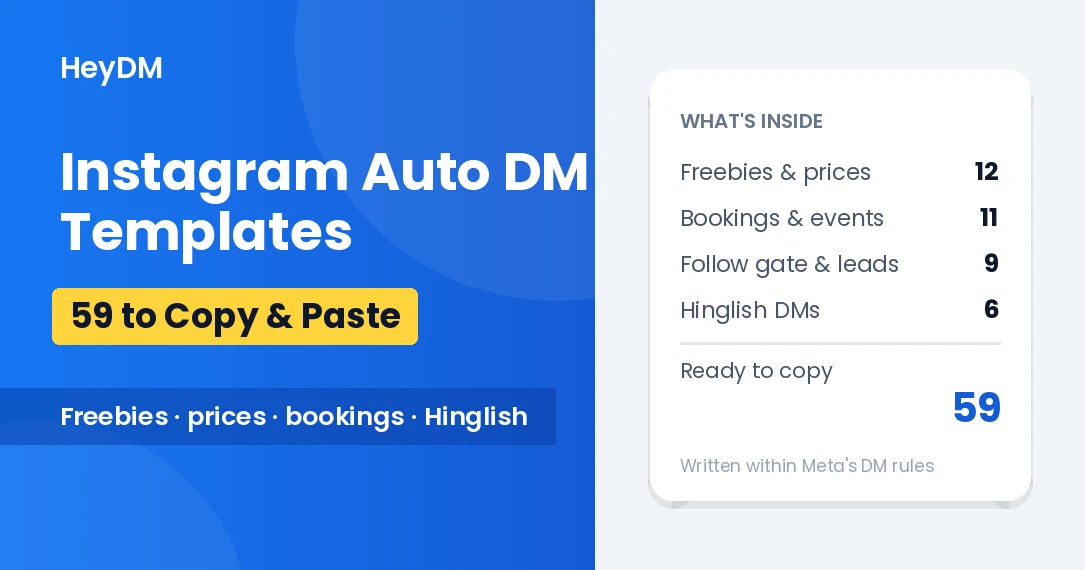
- Copy a ready-made message: 59 auto-DM templates you can copy
- Testing on a budget: free Instagram auto DM tools
- Set up your first automation in detail: how to send a DM automatically when someone comments
- Answer Story replies and reactions: Instagram Story automation
- Collect emails or WhatsApp numbers in the chat: build a list from Instagram DMs
- Decide where your links should go: link in bio vs DMs
- Grow followers with ask-to-follow: comment-to-DM for follower growth
- Turn it into income: 7 ways to make money with Instagram automation
FAQs
Do I need any technical skills?
No. You pick a post, a keyword and a message on a simple dashboard. Most setups take a few minutes.
Do I need a Professional account?
Yes, a Business or Creator account. Switching from a personal account is free and takes under a minute.
Will automated DMs feel spammy?
Not when they're triggered by someone commenting your keyword. They asked for it, so the DM feels like a fast, personal reply.
How is this different from "link in bio"?
DM automation delivers the link instantly into their inbox, with no extra taps. Link in bio makes people leave your content and hunt for it.
Does it work on Stories too?
Yes. You can trigger DMs from Story replies and reactions, not just comments.
Can I automate DMs on old posts?
Yes. HeyDM lets you activate automation on any past post or Reel, so evergreen content keeps generating leads.
Is it only for big accounts?
The opposite. Small creators without a team benefit the most, because automation does the job of an assistant.
How is HeyDM different from ManyChat?
ManyChat is a broad, multi-channel chatbot builder with a steeper learning curve and per-contact pricing. HeyDM is built for Instagram comment-to-DM, so setup takes minutes and the price stays flat. See the full HeyDM vs ManyChat comparison.
Stop Replying Manually, Start Growing Smarter 🚀
If you're still handling every DM by hand in 2026, you're leaving real money on the table and burning hours every week.
Instagram DM automation is no longer a "big brand" thing. It's affordable, safe when done right, and takes minutes to set up.
Start your 14-day HeyDM free trial and set up your first automation today.