How to Increase Instagram Sales in 2026: The Comment-to-DM Strategy Every E-commerce Brand Needs
Losing sales because you reply too slowly? The comment-to-DM strategy e-commerce brands use to turn every Instagram comment into a customer.
If someone comments "price?" on your product Reel at 2 AM… what happens?
If your honest answer is "nothing, until someone wakes up and sees it" — you just handed that sale to a competitor. 😬
Here's the brutal truth about Instagram in 2026: the DM is the new checkout page. People don't want to click a link-in-bio, land on a website, search for the product, add it to cart, and then buy. They want answers instantly, right where they're already scrolling.
And the brands that figured this out? They're not manually typing "Check your DM!" a hundred times a day. They've automated the entire thing — and their sales are showing it.
In this guide, we're breaking down exactly how the Comment-to-DM strategy works, why it converts so much better than traditional link-in-bio funnels, and how you can set it up for your e-commerce store today — even if you've never used automation in your life.
Let's get into it. 🚀
What Is the Instagram Comment-to-DM Strategy?
The Comment-to-DM strategy is exactly what it sounds like — when a follower comments a specific keyword on your post or Reel (like "price", "link", "info", or "buy"), an automated DM is instantly sent to their inbox with whatever you want: a product link, a discount code, a catalogue, or a checkout URL.
No human needed. No delays. No lost leads.
The magic here is in the private conversation. A DM landing in someone's inbox feels personal. It's not a billboard, it's a whisper. And that's exactly why it converts.
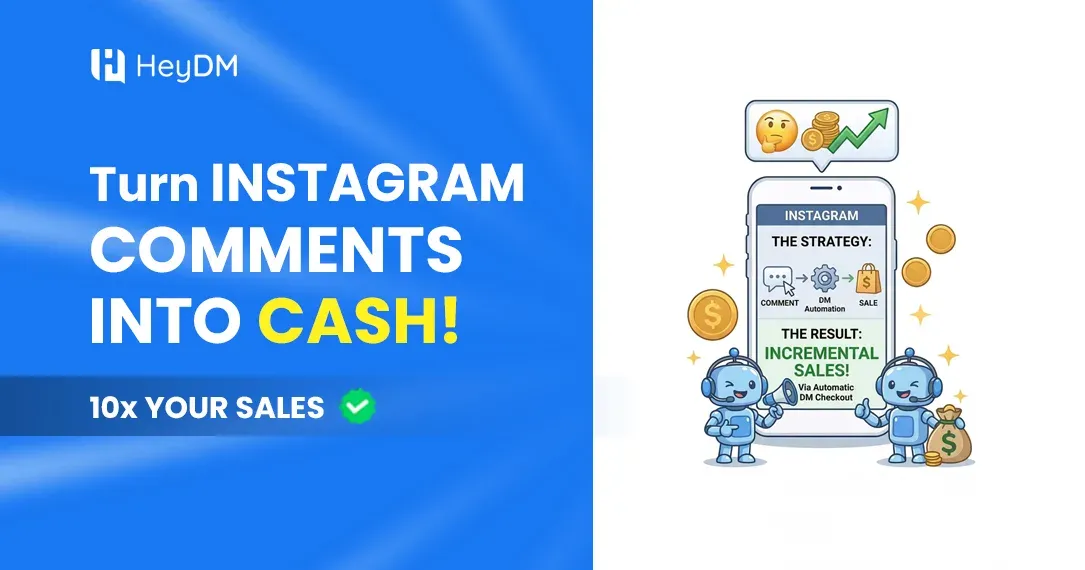
Here's the simple flow:
- 👀 Someone watches your Reel and sees a product they like
- 💬 They comment a keyword like "LINK" or "PRICE"
- ⚡ Automation fires instantly — they get a DM with the product link
- 🛍️ They tap, land on checkout, and buy
That's it. That's the entire funnel. And it happens in under 10 seconds.
Why Comment-to-DM Crushes the Old "Link in Bio" Approach
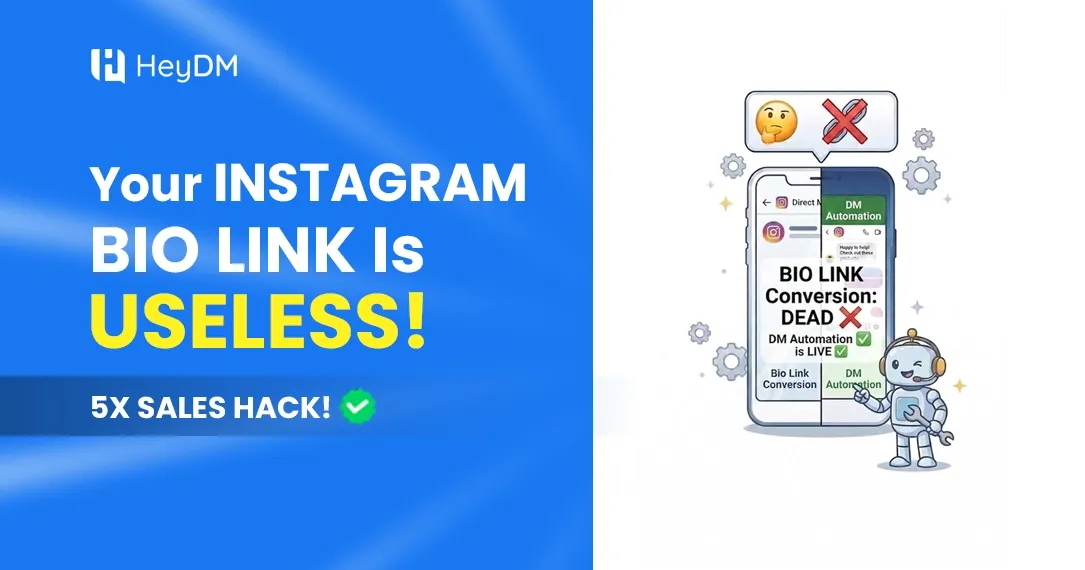
Let's be honest — the "link in bio" era is over. Here's why the old method is silently killing your conversions:
🔴 The friction is real. When you tell someone to "check the link in bio," they have to exit the Reel, go to your profile, find the link, tap it, wait for the page to load, find the product, and then consider buying. Most people drop off somewhere in that chain.
🔴 Attention spans are ruthless. The average Instagram user sees hundreds of posts a day. If you don't capture them in the moment of peak interest, they scroll away and that interest evaporates.
🔴 Unanswered comments signal a dead brand. When a potential customer sees "Is this available in blue?" sitting there with no response, every other viewer notices too. It says: this brand doesn't care.
Now flip it with Comment-to-DM:
✅ Zero friction — the link comes directly to them ✅ Instant response — within seconds, not hours ✅ Feels personal — a DM is intimate, not broadcast ✅ Boosts the algorithm — more comment activity = more reach for your Reel
The numbers back this up, too. Instagram DM conversations convert at 3 to 5x higher than link-in-bio traffic because the buyer is already in an active, personalized exchange.
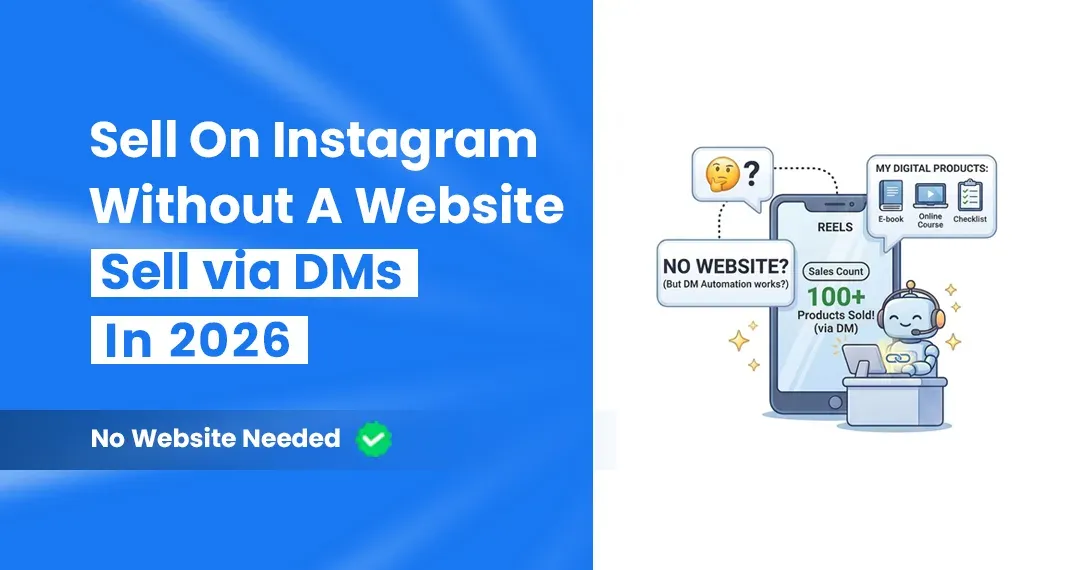
Already selling digital products like ebooks, courses, or presets? Auto DM is literally made for you — check out our complete guide on How to Sell Digital Products on Instagram Without a Website (2026) — Using Only DM Automation
The 4 Types of Comments That Are Actually Hot Leads (And How to Handle Each One)
Not every comment is equal. Some are curiosity, some are nearly-ready-to-buy. Here's how to read them — and what your automated DM should say for each:
💰 1. Price Questions ("how much?" / "price?" / "cost?")
This is your highest-converting comment type, full stop. Price questions are the highest-converting comment type because the barrier is purely informational. The customer has already decided they like the product. They just don't know if it's in their budget.
What to do: Auto-DM them the price + a direct product link immediately. Keep it clean and simple. Don't bury the price.
🔗 2. Link Requests ("link please" / "where to buy?")
A link request is the clearest possible buying signal. The customer is not browsing. They are asking for the checkout path.
What to do: Your automated DM should do one thing only — give them the link. Nothing else. No fluff, no upsells, just the checkout URL.
📦 3. Availability Questions ("is this in stock?" / "do you ship to X?")
Availability questions mean the customer has decided they want the product. One piece of missing information is the only thing between them and a purchase.
What to do: Confirm availability and drop the product link in the same DM. If you have variants (sizes, colors), ask one qualifying question before sending the link.
🎁 4. Giveaway / Offer Engagement ("interested!" / "count me in!")
Giveaway entrants are expressing product interest even if they are hoping to get it free. Capturing that conversation in a DM gives you a list of people who want the product. The catch: Instagram only lets you message them within 24 hours of their last message, so get an email or WhatsApp number while the chat is open.
What to do: Send the giveaway details by DM and collect an email or WhatsApp number in the same chat. When the contest closes, send that list an offer for everyone who didn't win.
Step-by-Step: How to Set Up Your Comment-to-DM Funnel
Ready to actually build this? Here's the full setup process — no tech experience needed.
Step 1: Set Up Your Instagram Business or Creator Account
Comment-to-DM automation works through Meta's official Instagram Messaging API. Meta officially supports comment-triggered DM automation through its Messenger API for Instagram, which powers the compliant tools used by hundreds of thousands of creators. The API has been stable since 2023 and is now the standard infrastructure for creator automation in 2026.
So first, make sure you're on a Business or Creator account — not a personal one.
Step 2: Choose Your Automation Tool
Pick a tool that's an official Meta partner (very important — third-party tools that aren't API-approved can get your account flagged). HeyDM is purpose-built for this exact use case — it's clean, beginner-friendly, and gets you live in under 2 minutes.
What to look for in any Comment-to-DM tool:
- ✅ Official Meta / Instagram API integration
- ✅ Keyword trigger customization
- ✅ Instant DM delivery (under 5 seconds)
- ✅ Follower gate (only sends DMs to followers, boosting your follower count)
- ✅ Analytics dashboard to track what's converting
- ✅ Story automation support (not just posts)
Step 3: Pick Your Trigger Keywords
Be specific. Generic keywords attract low-intent traffic. Define 3 to 5 keyword intents tied to specific offers, not one universal keyword. Send a short contextual DM that references the original content topic.
Good keyword examples for e-commerce:
- 🛒 "BUY" → Sends product link with a discount
- 💸 "PRICE" → Sends pricing info + checkout link
- 📦 "SHOP" → Sends your store catalogue
- 🎁 "DEAL" → Sends your current offer or coupon code
- 📋 "INFO" → Sends product specifications or sizing guide
Step 4: Write Your DM Copy
This is where most people mess up. Your automated DM shouldn't sound like a robot wrote it. Here's a formula that works:
Line 1: Acknowledge their comment (makes it feel personal) Line 2: Deliver the thing they asked for Line 3: One soft CTA or offer Line 4: Optional: ask one qualifying question
Example:
Hey! 👋 Thanks for asking about the [Product Name]! Here's the direct link to grab yours: [LINK] Use code INSTA10 for 10% off — valid today only! 🎉 Let me know if you need help with sizing!
Short, warm, and actionable. That's the sweet spot.
Step 5: Turn On the Follower Gate
This is a secret weapon that a lot of brands sleep on. The Follower Gate feature holds the DM until the user follows your account. If they're not following, they get a friendly nudge: "Hey! Follow us and we'll send you the link right away 😊"
Result: Every person who wants your offer becomes a follower first. Your follower count grows passively while you sleep. 📈
Step 6: Add a Follow-Up Sequence
First DM should arrive quickly (ideally within minutes). A slow response reduces conversion. Use the comment itself to personalize the message.
But what about the people who got the link and didn't buy? Set up a follow-up DM a few hours later. It has to go out within 24 hours of the person's last message to you (Instagram's messaging window), so it only reaches people who replied or tapped a button in your first DM:
"Hey! Just checking in — did you get a chance to check out [Product]? We still have stock left and your 10% code is still active until tonight! 🛍️"
This is essentially an abandoned cart email, but right in their DMs. The conversion rates on these follow-ups are wild compared to email.
The Content Strategy That Makes This Work Even Better
The Comment-to-DM tool is only as powerful as the content feeding it. Here's how to create posts that naturally drive comment keywords:
🎬 Use Reels with a Strong CTA
If your Reels already get views but no sales, a missing call to action is usually why (more in why Reels get views but no sales). End every product Reel with a verbal or text overlay CTA. Examples:
- "Comment LINK and I'll send you the direct checkout link 👇"
- "Drop PRICE in the comments for the details!"
- "Comment SHOP and get 15% off — today only"
This trains your audience to comment keywords. And the beautiful part? More comments = more algorithm love = more reach. It's a compounding loop. 🔄
📸 Product Posts with Clear Keyword Prompts
In your caption, spell it out plainly:
"Obsessed with this [product]! 😍 Comment LINK below and I'll DM you the direct link to grab yours — no hunting through bio required."
📖 Stories with Swipe-Up Alternatives
Use story stickers and polls to drive DM conversations. When someone replies to a story, that's another automation trigger you can set up. Choose a keyword (like "GUIDE," "JOIN," or "CHALLENGE") and specify which posts or Story actions activate it. The trigger can also be inbox-based — any user who messages you a specific word.
3 More Ways DM Automation Lifts Sales
The comment-to-DM funnel is the core. These three habits are what separate brands that get a few extra sales from brands that turn Instagram into a real sales channel.
⚡ 1. Answer Every Lead Instantly, Even at 3 AM
Interest fades fast. Someone who asks "price?" and hears nothing for six hours has usually moved on, or bought elsewhere. This matters most when a Reel takes off overnight: without automation you wake up to hundreds of cold comments; with it, every one of those people already has your link and offer in their inbox.
📋 2. Capture Leads Inside the DM
Not everyone is ready to buy today. After you send the link, ask for an email or phone number right in the chat: "Want me to send you restock alerts and offers? Drop your email here." Because it happens inside a conversation they started, far more people say yes than on a landing page form. HeyDM's Collect User Data step does this automatically, and you can follow up by email or WhatsApp later. For a full playbook, see how to build an email list from Instagram.
♻️ 3. Re-Activate Your Old Product Posts
That product Reel from four months ago still gets new comments every week. Without automation, those late buyers hear nothing. Switch automation on for your best older posts (HeyDM's Re-trigger Old Posts) and every new "price?" comment gets answered, whether it arrives today or in six months.
Biggest Mistakes E-commerce Brands Make With This Strategy
Learning from what doesn't work saves you a lot of wasted effort. Here are the most common traps:
❌ Using one keyword for everything — "LINK" as your only trigger gets you low-intent traffic. Segment your keywords by product, offer, or intent.
❌ Sending the same DM to everyone — A DM about a skincare serum to someone who commented on a hair product feels off. Match your DM to the specific post context.
❌ No follow-up — Most DM sales are not lost because the customer said no. They're lost because no one followed up. If they replied, one follow-up DM a few hours later, while Instagram's 24-hour window is still open, catches people who meant to buy and got distracted.
❌ Making the DM too long — People are on mobile. Three to four lines max. Give them the link, a quick reason to click, and let the product page do the rest.
❌ Ignoring story automation — Posts are obvious, but story replies are gold. Someone replying to a story is already in a conversational mindset. Automate those too.
❌ Skipping the public reply — When someone comments a keyword, reply publicly too (e.g., "Sent you a DM! 💌"). Stores that add this public reply typically see a 15–25% increase in comment volume on subsequent posts because followers see that asking questions gets a response.
How HeyDM Makes This Ridiculously Easy
Most automation tools are built for marketing teams with an hour to spare for setup. HeyDM is built for creators and e-commerce sellers who want to be live in 2 minutes and back to creating content.
Here's what makes it stand out:
⚡ Instant setup — Connect your Instagram, define your keywords, write your DM, activate. Done.
🔒 Official Meta API — Built on Instagram's official API. No password sharing, no scraping, no grey-zone tricks.
📊 Built-in analytics — Track the DMs and leads each automation brings in, post by post.
👥 Follower Gate — Automatically ask non-followers to follow before receiving the DM. Grows your audience on autopilot.
🔁 Re-trigger old posts — Turn on automation for older posts that are still getting traffic. Every late viewer is a potential customer.
📖 Story automation — Not just posts. Automate DMs from story replies and mentions too.
🤖 AI message variations — Generate several AI-written versions of your DMs and replies in one click, so every buyer gets a message that feels personal. (An AI sales agent that answers follow-up questions is coming soon.)
Whether you're a solo creator selling digital products or a full-blown e-commerce brand with a product catalogue, HeyDM plugs right into your existing Instagram workflow. No Zapier. No API keys. No headaches.
Real Talk: What Kind of Results Can You Expect?
Let's set honest expectations. The Comment-to-DM strategy works exceptionally well when your content is already getting views. It amplifies what's working — it doesn't magically fix dead content.
That said, here's what typically happens when brands implement this properly:
- 📈 Comment rates go up — because your CTA gives people a reason to comment
- 📩 DM conversations increase significantly — every commenter becomes a conversation
- 🛒 Conversion improves — because you're catching people at peak intent, not after they've cooled off
- ⏱️ Time savings are massive — no more copy-pasting "Check your DM!" fifty times a day
- 👤 Follower count grows — if you use the follower gate on gated links
Exact numbers vary by product, price and audience, so track your own: comments, DMs sent, link clicks and orders per post.
The brands hitting the high end of that range are the ones doing exactly what this guide describes — segmented keywords, personalized DMs, public reply acknowledgements, and follow-up sequences.
Frequently Asked Questions
Is Comment-to-DM automation safe for my Instagram account?
Yes — as long as you use a tool that runs through Meta's official API. Every auto DM for Instagram workflow follows the same basic mechanics, and Meta officially supports comment-triggered DM automation through its Messenger API for Instagram. Tools like HeyDM are built on this compliant infrastructure. What gets accounts flagged is using unofficial third-party bots that scrape or bypass the API entirely.
Will my followers know the DMs are automated?
They might guess, but a well-written DM that references their specific comment feels personal enough that most people don't care — and many don't notice. The key is writing DM copy that sounds human, not robotic.
How many keywords should I set up?
Define 3 to 5 keyword intents tied to specific offers. More than that and it gets hard to manage and measure. Start with your top 3 and expand from there.
Does this work for Stories, not just posts?
Absolutely. You can trigger DMs from story replies, story mentions, and even story reactions. HeyDM supports story automation alongside post and Reel automation.
What if someone comments the keyword but isn't following me?
That's where the Follower Gate comes in. The automation detects that they're not following and sends them a friendly prompt to follow first. Once they follow, the DM fires automatically.
Check out our guide on why Instagram DMs convert better than your bio link — and turn your Instagram into a full-time sales machine. 💰🚀
The Bottom Line
Instagram in 2026 rewards speed, personalisation, and friction-free buying experiences. The Comment-to-DM strategy delivers all three simultaneously — automatically.
Every comment on your posts is a hand raised by someone who found your product interesting enough to say something. That's not a vanity metric. That's a warm lead. And right now, most brands are letting those leads go cold because they're replying hours late, or not at all.
The fix is simple. Pick your keywords. Write your DM. Activate the automation. Let it run 24/7 while you focus on creating content that drives more of those comments in the first place.
That's the loop. And HeyDM makes it as easy to start as posting a Reel.
👉 Start for free at heydm.co — pay only when you love it.