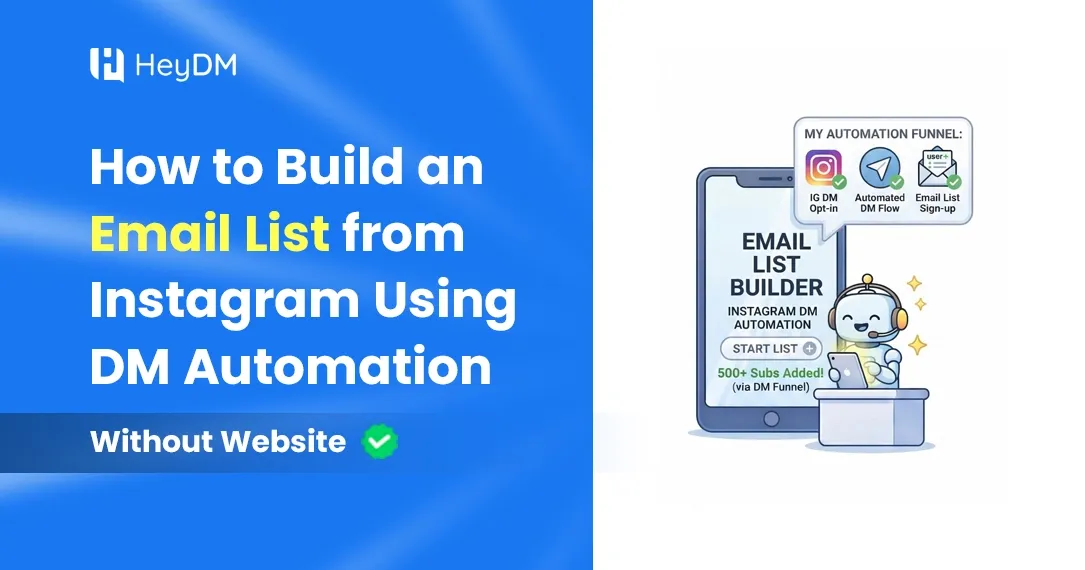
How to Build an Email List from Instagram Using DM Automation (Without Any Website)
Collect emails or WhatsApp numbers inside Instagram DMs, no website needed: the flow, DM scripts, the 24-hour rule and how to export your list.
The usual way to collect emails from Instagram has four steps: tap the link in bio, load a landing page, fill in a form, confirm the email. Every step loses people, and if you don't have a website, you can't even start.
The DM version has two steps. Someone comments or messages a keyword, and your automation asks for their email right there in the chat. They type it, you send the freebie, and the address is saved. No website, no landing page, no form.
This guide shows how to set that up, what to say in the DMs, and why the email (or WhatsApp number) matters more than people think.
Why the Email Matters More Than the DM
Here's the part most guides skip. Instagram only lets a business message someone within 24 hours of their last message. Once that window closes, you can't DM them again until they write to you first, however interested they were.
So a DM conversation, on its own, has a short shelf life. If you want to tell those people about your webinar next week or your course launch next month, you need a way to reach them outside Instagram. That's the email address, or for many Indian audiences, a WhatsApp number.
The second reason is simpler: your followers sit on someone else's platform. Reach changes, accounts get restricted, and none of that touches a list you own.
How the DM-to-Email Flow Works
- You post a Reel or Story that offers something specific: "Comment CHECKLIST and I'll send you my client onboarding checklist."
- The person comments the keyword (or replies to your Story with it).
- Your automation sends a DM that says what they'll get and asks for their email.
- They reply with their email. That reply also opens Instagram's 24-hour window, so the conversation can continue.
- The automation saves the address and sends the freebie.
- You export the list into your email tool and send a welcome email the same day.
Email or WhatsApp Number?
Ask for the one you'll actually use. If you already send a newsletter, ask for email. If your customers in India reply faster on WhatsApp and you sell through chats, a phone number is more useful, and many people find it quicker to share.
Don't ask for both in the same flow. Every extra question loses people, and a second request in a short chat starts to feel like a form again. HeyDM's Collect User Data step can ask for either an email or a phone number.
Step by Step in HeyDM
1. Pick one specific freebie
It should solve one small problem quickly. "5 caption templates that book discovery calls" beats "my complete social media guide". Good formats: a checklist, a template, a price sheet, a short PDF, a recorded mini-class, a discount code.
2. Choose the trigger
For Reels and posts, use a comment keyword. For Stories, ask people to reply with the word and use a DM keyword reply. One word, easy to type: CHECKLIST, GUIDE, CODE.
3. Ask for the email in the first DM
Older advice says to "warm people up" before asking. With comment triggers that doesn't work, because Instagram allows only one DM per comment until the person replies. The first message has to do the job:
Hey! Happy to send you the onboarding checklist. What's the best email for it? I send one short email a week, and you can unsubscribe anytime.
Saying what they'll get by email up front means fewer spam complaints later.
4. Deliver straight away
As soon as they reply with the address, send the link in the DM as well. People want the thing now, not after they've checked their inbox.
5. Export the list
Collected emails and phone numbers are saved in HeyDM, and you can export them as a CSV file and import them into Mailchimp, Kit, Brevo, a Google Sheet or whatever you use.
6. Send a welcome email within a day
Someone who gave you their email on Tuesday and hears nothing until next month won't remember why they're on your list. Send the freebie again, say who you are in two lines and tell them what to expect.
DM Scripts You Can Copy
Coach: "Hi! Here's the free class you asked about. What email should I send the replay to? I'll also send the worksheet that goes with it."
Freelance designer: "Thanks for asking! Drop your email and I'll send my portfolio PDF and current rates."
Online store: "Your 10% code is almost ready. What's your email? We'll send the code there so it doesn't get lost in your DMs."
Hinglish, for a WhatsApp-first audience: "Hi! Yeh raha aapka checklist: [link]. Apna WhatsApp number share kar do, new batch ki details wahin bhejenge."
Mistakes That Cost You Subscribers
- Asking for follow, email and phone in one flow. Pick one ask per automation.
- A vague freebie. If you can't say what it is in five words, people won't trade an email for it.
- Not saying what you'll send. People who didn't expect your emails mark them as spam.
- Collecting and never emailing. A list you don't use goes cold within weeks.
- No test run. Comment from a second account and check the email question, the delivery link and the export.
How to Tell If It's Working
Track three numbers for each post: how many people commented the keyword, how many got the DM, and how many replied with an email. The gap between the last two tells you whether the ask is working. If lots of people get the DM but few reply, try a shorter question, a clearer freebie or a phone number instead of email. Compare posts against each other rather than against someone else's results, because audiences differ a lot.
Tools That Collect Emails Inside DMs
- HeyDM: email or phone capture in the single plan, $9.99 a month (₹419 in India), with CSV export.
- ManyChat: captures email and phone in flows, priced by active contacts from $17 a month. See HeyDM vs ManyChat.
- LinkDM: Lead Gen on the Pro plan, $19 a month. See HeyDM vs LinkDM.
- CreatorFlow: an email gate on Pro, $15 a month. See HeyDM vs CreatorFlow.
- SuperProfile: 10 leads on the free plan, unlimited on Creator at ₹499 a month. See HeyDM vs SuperProfile.
Prices checked in October 2026. For the full list, see our Instagram DM automation tools comparison.
FAQ
Do I need a website for this?
No. The whole exchange happens in Instagram DMs, and the freebie can be a Google Drive link, a PDF or a code.
Can HeyDM send the emails to Mailchimp automatically?
Export the collected leads from HeyDM as a CSV file and import them into your email tool. Most email tools take a CSV import in a couple of minutes.
Can I DM these people again next week?
Only if they message you first. Instagram closes the window 24 hours after their last message, which is exactly why collecting an email or phone number is worth it.
Is collecting emails in DMs allowed?
Yes, when the person chose to give it to you. Ask only for what you need, say what you'll send, and include an unsubscribe link in your emails (email tools add one by default).
What if someone types their email wrong?
It happens. Your welcome email will bounce, and the person will usually message again if the freebie never arrives, so sending the link in the DM as well saves you both.
Related reading: how to set up comment-to-DM and Instagram Story automation. Want to try it? Start a 14-day free HeyDM trial.