Why Instagram Is Randomly Disabling Business Accounts in 2026
Instagram disabled your business account for no reason? The 7 real causes behind the 2026 wave of disabled accounts, and what to do if yours is gone.
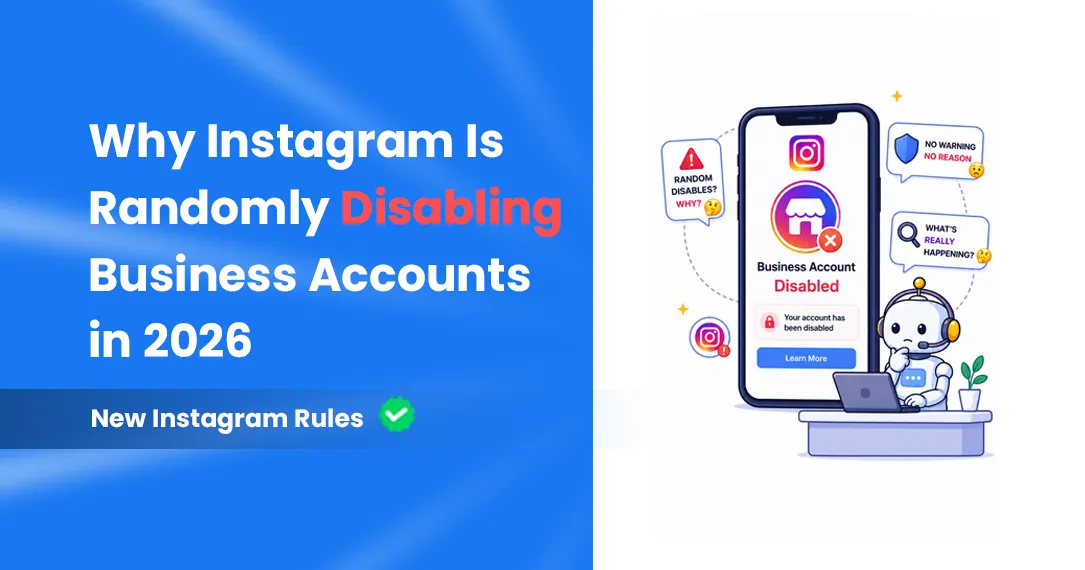
If this happened to you, first take a breath — you're not being targeted personally, and you're definitely not alone. Instagram is in the middle of one of the most chaotic account enforcement periods in its history. And the scary part? You don't have to do anything obviously wrong to get banned.
This article breaks down exactly what's going on, the real reasons your business account may have been hit, and — most importantly — what you can do to protect yourself going forward. Whether you're a creator, a small business, an e-commerce brand, or a coach, this is information you need to read right now.
25,000+ People who signed a 2025 petition saying Meta wrongly disabled their accounts with no human support
Millions Of bot and inactive accounts removed in Instagram's May 2026 clean-up (Meta gave no exact figure)
Paid Meta Verified is the main way to reach a human at Meta support, and even that doesn't guarantee recovery
🤖The Real Culprit: Meta's AI Went Rogue
Here's the uncomfortable truth that Meta isn't advertising: a significant chunk of 2026's account bans are AI false positives — innocent accounts flagged by an algorithm that moved too fast and too aggressively without enough human oversight.
In 2025, users began reporting waves of suspensions they blamed on Meta's automated moderation, the systems built to catch child exploitation content, hate speech and spam at scale. The intention was good. The execution? Not so much. Suspension reports flooded Reddit and X, a petition accusing Meta of wrongly disabling accounts passed 25,000 signatures, and outlets including the BBC covered cases that were restored only after journalists asked Meta about them.
"The algorithms are getting smarter — but they are far from perfect. And the price of these improvements is a worrying number of false positives devastating legitimate accounts."
What kinds of innocent content got flagged? A fitness transformation post. A family photo at the beach. A car dealership's inventory video. A beautician's before-and-after. These are real examples from real business owners who woke up to permanent bans for content that broke absolutely no rules.
⚠️ The Cascade Problem
Here's something even scarier: when one account triggers a violation flag, Meta's systems often automatically suspend all connected accounts — your personal profile, business pages, ad accounts, and even pages you manage for others. A single algorithmic error can eliminate your entire digital business ecosystem overnight.
Meta says its automated systems catch most violating content before anyone reports it. But users say non-English content, family businesses and very active profiles are often caught by mistake. The machine acts first; humans may never review it.
🎯The 7 Real Reasons Instagram Disabled Your Business Account
Bans in 2026 fall into two buckets: legitimate violations (things you may have done unknowingly) and AI false positives (pure algorithmic mistakes). Understanding both is critical. Here are the most common triggers:
🔗
1. Using Unauthorized Third-Party Tools
This is one of the most common triggers. "Who unfollowed me" apps, auto-likers, mass DM blasters, follower-buying services — Instagram detects these almost immediately. If it doesn't use the official Meta API, it's putting your account at serious risk every single day it runs.
🔄
2. Rapid Follow/Unfollow Cycles
Aggressively following and unfollowing hundreds of accounts a day looks exactly like bot behavior to Instagram's AI — even if you're doing it manually. The algorithm doesn't know the difference. It just sees suspicious patterns and acts.
🔗
3. Linked Meta Accounts (The Domino Effect)
In 2026, having your Facebook, Instagram, and Threads profiles all connected in the same Meta Accounts Center means one flag cascades across all of them simultaneously. One bad AI decision can wipe out your entire presence across every Meta platform at once.
#️⃣
4. Banned or Flagged Hashtags
Some hashtags are permanently blocked on Instagram, and using them even once can cause your post — and potentially your account — to be flagged. The tricky part? Instagram doesn't always tell you which hashtags are banned, and the list changes constantly.
©️
5. Copyright and Music Strikes
Instagram disables accounts that repeatedly post content they don't have the rights to. Every valid copyright report on a Reel, photo or song counts against you, and business accounts are more exposed than most: many popular songs aren't licensed for business use, so a Reel that's fine on a personal account can be muted, removed or reported on a business one. Use audio from Meta's Sound Collection or the music Instagram offers your business account, only repost content you have permission to use, and check Account Status for removed posts before they add up.
🤖
6. AI False Positives (No-Fault Bans)
Completely innocent content — family photos, fitness posts, kids in school uniforms, before-and-after beauty shots — can trigger Meta's child safety AI. The algorithm misreads context. No human reviews it. Your account is gone. This is the most maddening category because there is literally nothing you did wrong.
📊
7. Sudden Spikes in Activity
A viral post that brings a sudden flood of follows, messages, and comments sounds like a dream. But Instagram's spam detection reads sudden spikes as suspicious behavior. Ironically, going viral without a "trust score" built up can actually trigger a restriction.
Instagram DM Automation Without ManyChat: 5 Simpler Tools That Actually Work in 2026
Strikes and Account Status: What Instagram Actually Shows You
You'll often read about a hidden "trust score" that decides how hard Instagram comes down on you. Meta hasn't published anything like it, so treat that as a guess. What Meta does describe is a strike system: repeated violations lead to longer restrictions and, eventually, a disabled account.
You can see where you stand in Settings and activity → Account Status. It lists content that was removed, features you can't use for now, and whether your account is at risk of being disabled. Check it every few weeks and appeal removals you disagree with before they add up.
What helps: a current phone number and email, two-factor authentication, steady activity rather than sudden bursts, and tools that connect through Meta's official API instead of your password.
🛡️How to Keep Your Business Account Safe in 2026
Now for the good news: while the ban wave is real and the AI is imperfect, there are concrete steps that dramatically reduce your risk. Here's your action plan:
✅ The Safe List — Do These
- ✓Only use automation tools that are built on theofficial Meta API— they follow Meta's rules and are far lower risk
- ✓Keep a linked, active email address and phone number on your account at all times
- ✓Remove any content that receives a copyright or community guidelines flag — immediately, no exceptions
- ✓Research hashtags before using them — tools like Display Purposes can help you spot banned tags
- ✓Keep your activity gradual and consistent — don't follow 500 people in an hour even if you're doing it manually
- ✓Enable two-factor authentication and keep your login credentials updated
- ✓Regularly check Instagram's Account Status page (Settings and activity → Account Status)
❌ The Danger List — Stop These Now
- ✗Any app that promises auto-followers, auto-likes, or "who unfollowed me" tracking
- ✗Mass DM tools that don't use the official Meta API — these are the fastest way to a ban
- ✗Running identical rapid actions across multiple linked accounts — Instagram flags this as coordinated inauthentic behavior
- ✗Sending multiple appeal messages or using random email addresses to contact Meta — this actually makes things worse by triggering more spam flags
- ✗Linking every single Meta account together if one is at higher risk
The Safe Way to Automate: Use the Official Meta API
| Not all automation is dangerous — only unauthorized automation is. HeyDM is built entirely on Meta's official API, so you can automate comment-to-DM responses, story replies and lead capture 24/7 without ever giving a tool your password. |
🆘My Account Was Already Disabled — What Do I Do?
If it's already happened to you, the window to act matters. The longer you wait, the harder recovery gets. Here's your step-by-step plan:
- Stop all automation immediately. If you can still log in, remove any third-party tool you don't trust in Settings and activity → Website permissions → Apps and websites, and pause your automations until the appeal is resolved.
- Submit an official appeal through Instagram's Help Center. Go to the disabled account page and select "I believe my account was disabled by mistake." For business accounts, have your proof of business ownership and a government ID ready.
- Use Meta Business Suite if you have a business account. Business accounts have an additional escalation path through Meta Business Suite that personal accounts don't get — use it.
- Do NOT send multiple messages or use random email addresses to contact Meta. It sounds counterintuitive, but this actually triggers additional spam flags and can hurt your appeal.
- Be patient and document everything. Meta has a massive backlog. Some accounts were restored only after journalists covered the story — save screenshots and records of all your communications in case you need to escalate publicly.
💚 Quick tip if you're appealing
Be very specific in your appeal about what you were doing and why it doesn't violate policy. Instagram's AI processes appeals too — vague responses like "I didn't do anything wrong" get automated rejections. Reference specific policies and explain why your content or behavior complies with them.
If you paid for Meta Verified, you have access to "enhanced support" — use that channel first, though be aware it doesn't guarantee a successful recovery.
💡The Irony: Instagram Actually Allows Automation — Just Not Your Kind
Here's the thing that most people get completely wrong: Instagram doesn't ban automation. It bans unauthorized automation.
Meta has an official API specifically designed for DM automation, comment responses, story replies, and lead capture. Tools built on this API are not just tolerated — they're officially supported. The problem is the flood of cheap, unofficial tools that scrape data, simulate fake human behavior, and operate completely outside Meta's ecosystem.
Successful brands that survived the 2026 ban wave use automation for repetitive tasks but maintain a human touch for strategy and meaningful engagement. The golden rule from Meta's own guidelines: only send automated DMs in response to user actions — comments, mentions, or story replies. Never cold outreach. Never unprompted mass messages.
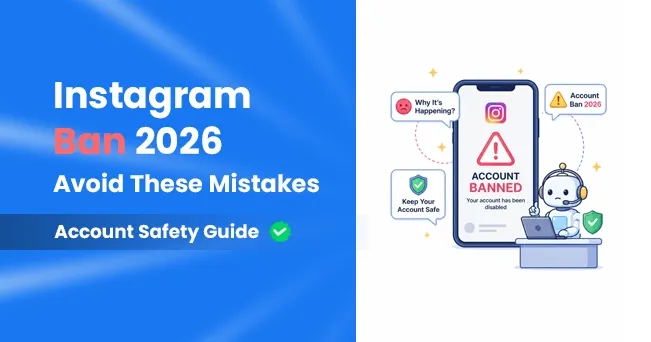
Instagram Account Ban 2026: Why It's Happening and How to Keep Your Account Safe
🎯The Bottom Line
Instagram's 2026 ban wave is real, it's damaging innocent businesses, and Meta's response has been frustratingly slow. But it's not random chaos — there are clear patterns, clear triggers, and clear ways to protect yourself.
The core lessons are simple:
- ✓Meta's AI is powerful but far from perfect — false positives are affecting thousands of legitimate accounts
- ✓Unauthorized third-party tools are the #1 avoidable cause of bans — switch to official API-based tools
- ✓Your linked accounts are your biggest vulnerability — a ban on one can cascade to all
- ✓Automation itself is safe — as long as it's built on Meta's official API
- ✓If you're banned, act fast, be specific in your appeal, and don't panic-spam Meta's support
The brands that will win on Instagram in 2026 and beyond are the ones that work within Meta's ecosystem rather than trying to game it. That means using tools that connect through Meta's official API, growing audiences authentically, and automating the right way.
Speaking of which — if you want to automate your Instagram DMs, comment responses, and lead capture the way Meta allows, HeyDM is built 100% on the official Meta API, with Smart Safe Mode pacing every reply — and it can turn every comment on your posts into a lead, a sale, or a new follower, automatically. 🚀
HeyDM's Smart Safe Mode adds natural reply delays, message pacing and an hourly reply limit. Set up your first DM automation in 2 minutes.
Start Free on HeyDM → 14 days free trial
More on account safety:
- Instagram ban wave 2026: what's confirmed and why accounts get banned
- Does DM automation cause bans?
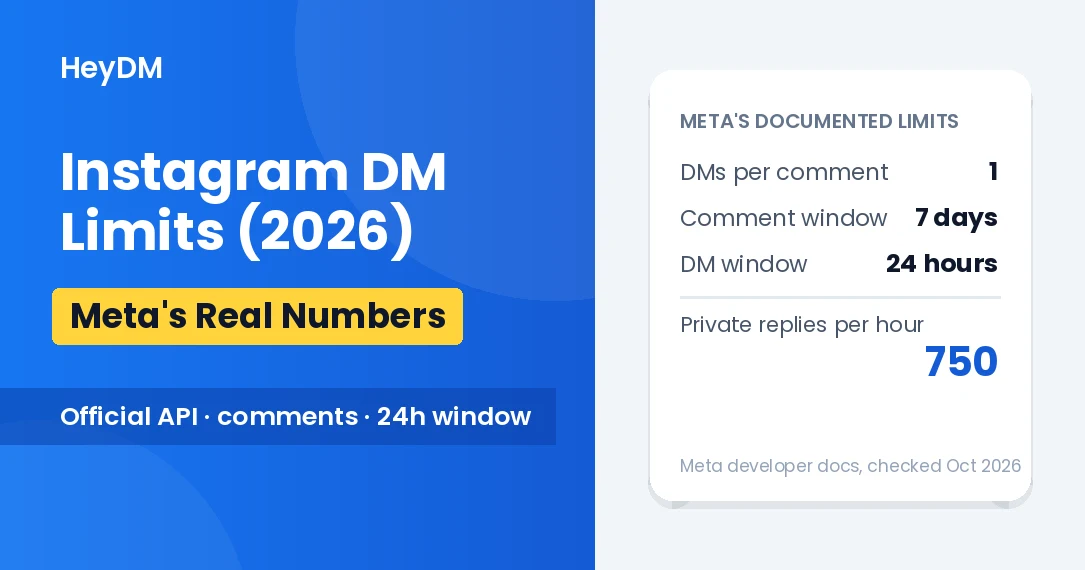
- Instagram DM limits in 2026: Meta's real numbers
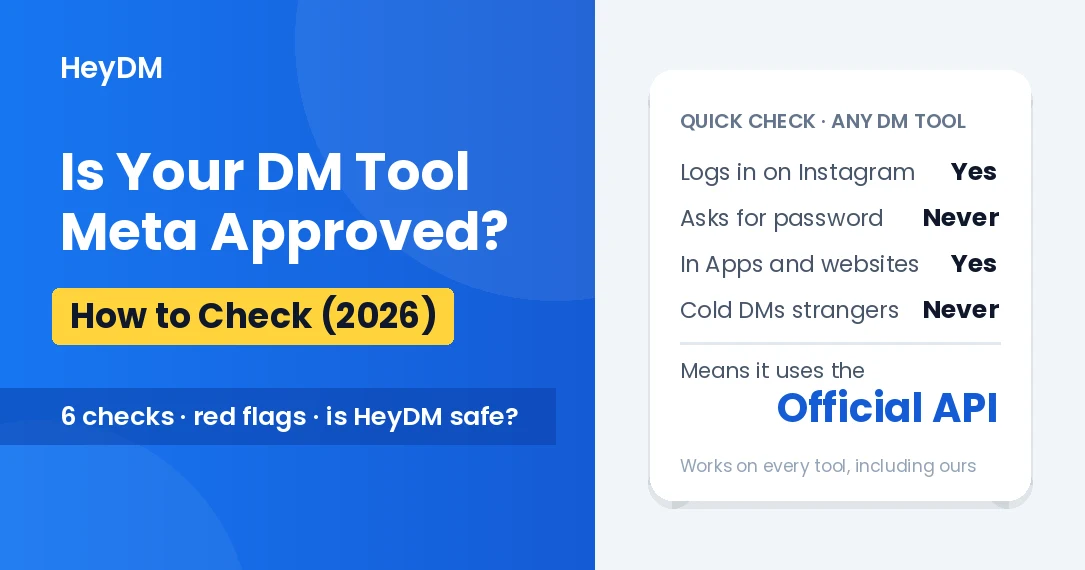
- Is your DM tool Meta approved? How to check