Instagram DM Automation Not Sending Messages? 9 Fixes (2026 Guide)
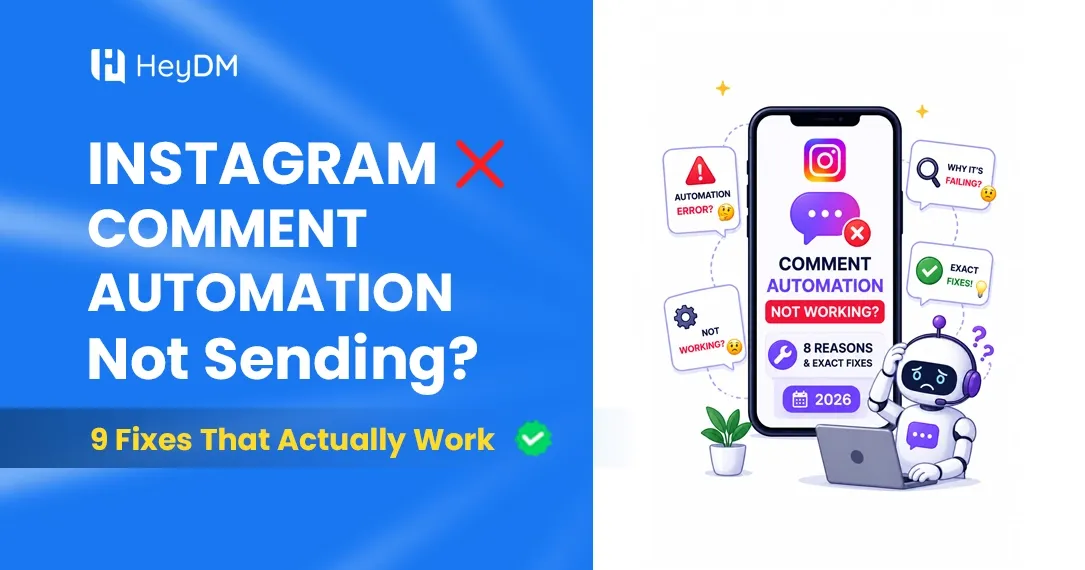
AutomationIs your Instagram DM automation not sending messages? Here are 9 real fixes for 2026 — from rate limits to disconnected accounts. Get your DMs working again.
You set everything up. The trigger is live, the message is written, and you're excited to finally stop copy-pasting links manually. But when someone comments on your post... nothing happens. No DM. Silence. 😤
This is one of the most frustrating things that can happen — especially when you know the automation should be working.
The good news? In 99% of cases, it's a fixable issue. You don't need to be technical. You just need to know where to look.
This guide walks you through 9 real reasons why your Instagram DM automation stops sending messages — and exactly how to fix each one. These are the actual root causes, not the vague "try restarting" advice you'll find everywhere else.
First, a Quick Check ✅
Before jumping into fixes, do this 30-second check:
- Is your Instagram account set to Business or Creator? (Personal accounts cannot use DM automation — full stop.)
- Is your automation tool connected to the correct Instagram account?
- Did the person who commented actually trigger the right keyword?
If all three are fine, then one of the 9 reasons below is your culprit. Let's go through them.
Fix 1: Your Instagram Account Got Disconnected from the Tool 🔌
This is the #1 reason DM automation suddenly stops working, and most people don't notice it for days.
Instagram regularly refreshes its connection tokens — basically, the permission it gives your automation tool to act on your behalf. When this token expires, your tool loses access and just... stops sending. No warning, no error email, nothing.
How to fix it: Go to your automation tool's dashboard (whether you're using HeyDM, ManyChat, or any other platform) and look for a "Reconnect Instagram" or "Reauthorize" button. Click it, log in to Instagram again, and grant the permissions. This usually takes under 2 minutes and fixes the problem instantly.
Pro tip: Make it a habit to check your connection status once a week, especially after Instagram pushes app updates.
Fix 2: You Hit Instagram's 750 DMs/Hour Limit 📊
Instagram has a hard cap: 750 automated DMs per hour, per account. No exceptions — not even for verified accounts or large brands.
So what happens if your Reel blows up and 800 people comment your trigger word in 60 minutes? Your automation tool tries to send 800 DMs, hits the ceiling at 750, and the rest just don't go out.
This is actually Instagram protecting its servers from being spammed — but it catches a lot of legit creators off guard.
How to fix it: Use an automation tool that has a built-in DM queue and rate-pacing system. A good tool won't just stop at 200 — it'll hold the remaining messages in a queue and send them out gradually once the hour resets. If you're using a tool without this feature and your content regularly goes semi-viral, it might be time to upgrade.
Also worth knowing: if you think you've been throttled (suddenly slow sends even below 200/hour), Instagram sometimes temporarily reduces limits for accounts it flags as suspicious. In that case, pause automation for 2–3 hours and let things settle.
Fix 3: The 24-Hour Messaging Window Closed ⏱️
This one catches so many creators off guard because it's not obvious at all.
Instagram only allows you to send automated messages to someone within 24 hours of their last interaction with you. So if someone commented your trigger word 25 hours ago and your automation was delayed or broken at that point — you can't send them a DM now. The window is closed.
This is Meta's rule to prevent businesses from spamming people with cold messages.
How to fix it: Your goal is to make sure your automation responds as fast as possible after someone triggers it — ideally within seconds, not hours. If someone's window has already closed, there's honestly not much you can do for that specific person. But going forward, keep your automations live and active so messages fire immediately.
For a deeper look at what triggers work within this window and which ones don't, check out our guide on How to Set Up Auto Replies on Instagram Without Any Coding (2026 Beginner Guide) — it covers the exact trigger types and timing rules in detail.
Fix 4: Your Keyword Trigger Is Too Broad (Or Wrong) 🎯
Here's a sneaky one. Your automation might technically be "working" — but it's just not triggering because the keyword isn't matching.
Common mistakes:
- You set the trigger as "link" but someone typed "Can you send the link?" — partial matches don't always fire depending on your tool's settings
- You used capital letters in the keyword but Instagram comments came in lowercase
- You accidentally had a typo in the keyword when setting it up
- The comment had emojis before the keyword, which some tools don't handle
How to fix it: Go back into your automation settings and test the exact trigger. Most good tools have a "test automation" feature where you can simulate a comment and see if the DM fires. Also check whether your tool is set to "exact match" or "contains keyword" — the second option is usually better for catching natural language comments.
Fix 5: Your Instagram Account Type Changed to Personal 👤
This sounds unlikely, but it happens more than you'd think — especially if someone else manages your account, or if you logged in on a new phone and Instagram reset some settings.
DM automation only works on Instagram Business or Creator accounts. If your account got switched back to Personal (it can happen during app updates or when Meta pushes new account prompts), your automation tool loses the ability to send messages entirely.
How to fix it: Open Instagram → go to your Profile → tap the three lines in the top right → Settings and Privacy → Account type and tools. Check if it says Business or Creator. If it says Personal, switch it back. Then reconnect your automation tool.
Fix 6: Your Automation Tool Is Using an Unofficial API 🚨
This one is serious and it's worth pausing on.
There are two types of Instagram automation tools: ones that use Meta's official Graph API (the safe kind) and ones that use unofficial methods — logging into your account like a user would, scraping data, or using browser extensions. The second type is what Instagram calls "inauthentic behaviour."
If your tool is in the second category, Instagram will eventually detect it and cut off your DM-sending ability. Sometimes gradually (messages start failing), sometimes all at once (your account gets action-blocked).
How to fix it: Only use tools that are Meta-verified partners or officially connect through Instagram's Graph API. Look for this in the tool's website — most legitimate platforms will mention "Meta Business Partner" or "Official Instagram API" clearly. If a tool asks for your Instagram password instead of redirecting you to an official Instagram login page — that's a red flag. 🚩
Our roundup of Best Safe Instagram Automation Tools in 2026 — Zero Ban Risk covers exactly which tools are safe and which ones to avoid.
Fix 7: You're Trying to Message Someone Who Never Interacted First 🙅
A lot of creators are surprised to learn this: you cannot send automated DMs to people who haven't engaged with you first.
Instagram's API doesn't allow cold outreach. You can't take your follower list and mass-DM them an offer. Any automation that claims to do this is either using unofficial (dangerous) methods or straight-up lying.
What does work: someone comments on your post → you DM them. Someone replies to your Story → you DM them. Someone sends you a DM first → you automate a reply. These are all inbound, user-initiated triggers.
How to fix it: If your automation is set up to message followers who haven't triggered anything, that's why it's not sending — Instagram won't allow it. Redesign your strategy around inbound triggers. Create posts that invite people to comment a keyword, or run a Story with a clear CTA like "Reply 'FREE' to get the guide." That opens the window for automation.
Fix 8: Your Message Contains Links in the First DM 🔗
This surprises a lot of people: Instagram's algorithm sometimes filters or delays the first message in a conversation if it contains a link. It's an anti-spam measure. If someone has never messaged you before, Instagram can be suspicious of a first-contact DM that immediately drops a URL.
You might be sending the message — but the recipient gets it in their Message Requests folder, or it silently gets filtered. From your end, it looks like the automation worked. From their end, they never saw it.
How to fix it: Structure your first automated message to not include the link directly. Instead, use a button, a CTA, or a follow-up question: "Hey! Got your comment 😊 Want me to send you the link? Just reply YES and I'll send it right over." This gets them to reply, which opens a proper conversation, and then you send the link in the second message. Conversion rates are actually higher this way because people who reply are genuinely interested.
Fix 9: Instagram Is Having a Server Outage (It's Not You) 🌐
Sometimes, the problem genuinely isn't yours to fix.
Instagram has mini outages fairly regularly — usually lasting anywhere from 20 minutes to a few hours. During these periods, DM automation can slow down or stop entirely because your tool's connection to Meta's API gets interrupted.
How to check: Go to downdetector.com and search "Instagram." If there's a spike in reports, there's a platform-side issue and you just need to wait it out. You can also check Meta's API Status page for real-time API health.
How to fix it: Most good automation tools have a message queue — so when Instagram's API comes back online, your pending DMs will still go out (as long as the 24-hour windows haven't expired). If your tool doesn't have a queue, messages sent during an outage are simply lost.
The Fastest Way to Diagnose Your Specific Problem 🔍
Not sure which of the 9 above is your issue? Here's a quick decision path:
Automation was working before and suddenly stopped? → Fix 1 (disconnected account) or Fix 6 (API issues after an update)
Automation works sometimes but not always? → Fix 2 (rate limit) or Fix 4 (keyword matching)
Automation works for some people but not others? → Fix 3 (24-hour window) or Fix 8 (link in first message)
Automation has never worked since setup? → Fix 5 (personal account) or Fix 6 (unofficial tool)
No messages sending to anyone at all? → Fix 9 (outage) or Fix 1 (reconnect needed)
One Thing That Prevents Most of These Issues 💡
Most of the fixes above come down to one underlying principle: your automation tool matters a lot.
A tool built on Meta's official API with smart rate pacing, automatic reconnection alerts, and a message queue will handle 80% of these issues for you automatically. You won't hit the 200/hour wall without warning. You won't silently lose your connection. Your messages won't get filtered for having links.
If you've been troubleshooting for a while and the fixes above aren't sticking, it might be worth switching to a more reliable platform rather than patching the same problem every week.
Start simple — set up one trigger, test it yourself by commenting your own keyword from a secondary account, and confirm the DM arrives within 10 seconds. If it does, your automation is healthy. If it doesn't, one of the 9 fixes above is your answer.
Frequently Asked Questions ❓
Why does my Instagram DM automation work sometimes and not others? Most likely you're hitting the 200 DMs/hour rate limit during busy periods, or the 24-hour window is closing before your automation fires. Check your tool's analytics dashboard for failed message logs — most good platforms will show you exactly why a message didn't send.
Can I automate DMs to all my followers at once? No — Instagram's official API doesn't allow mass cold DMs to followers who haven't interacted with you first. This is intentional to prevent spam. Every automated DM must be triggered by a user action (comment, story reply, inbox message).
My automation tool shows the message was sent but the person says they didn't receive it? The most common reason is Fix 8 — your message went into their Message Requests or Hidden Requests folder because it contained a link or came from an account they don't follow. Ask them to check Settings → Messages → Message Requests and Hidden Requests.
Will fixing these issues get my account un-restricted if it was action-blocked? If you were using an official, API-compliant tool and hit a temporary restriction from hitting rate limits, your account usually recovers within 24–48 hours on its own. If you were using an unofficial tool, you'll need to stop using it immediately, revoke its access in Instagram settings, and wait. Repeated violations can lead to permanent restrictions.
How do I know if my automation tool is officially Meta-approved? Legitimate tools will have a clear "Meta Business Partner" badge on their website, and when you connect your Instagram account, they'll redirect you to an official instagram.com login page — they'll never ask you for your Instagram password directly. If a tool asks for your password, disconnect it immediately.
Is there a word count limit for automated DMs? Yes — Instagram caps automated messages at 1,000 characters per message. Keep your first DM short, conversational, and focused on one thing. Long walls of text also perform worse — people are less likely to read them or respond.
If you're starting fresh with automation and want to make sure you do it right from day one, our guide on Instagram Auto Reply Not Working? 7 Reasons and How to Fix Each One (2026) covers the auto-reply side of things in detail — and pairs well with this article to give you a complete troubleshooting picture.
Setting up DM automation correctly the first time saves you hours of debugging later. Get the triggers right, use a reliable tool, and keep your messages short and human — and you'll wonder how you ever managed your DMs manually. 🚀
If you've been dealing with these issues repeatedly, it might be a sign that your current tool isn't built to handle Instagram's rules properly. HeyDM is designed specifically around Meta's official API — which means reconnection issues, rate limit breaches, and silent failures are handled automatically in the background. You set up your trigger once, and it just works. No weekly debugging, no missed leads.
The best part? Getting started takes less than 5 minutes. Connect your Instagram account, set your first keyword trigger, and HeyDM starts sending DMs automatically — safely and within Instagram's limits. Whether you're a creator sending affiliate links, a coach sharing a lead magnet, or a brand capturing enquiries 24/7, it's built to handle all of it without the headaches. Start your free trial here and see the difference a reliable tool makes. 🚀